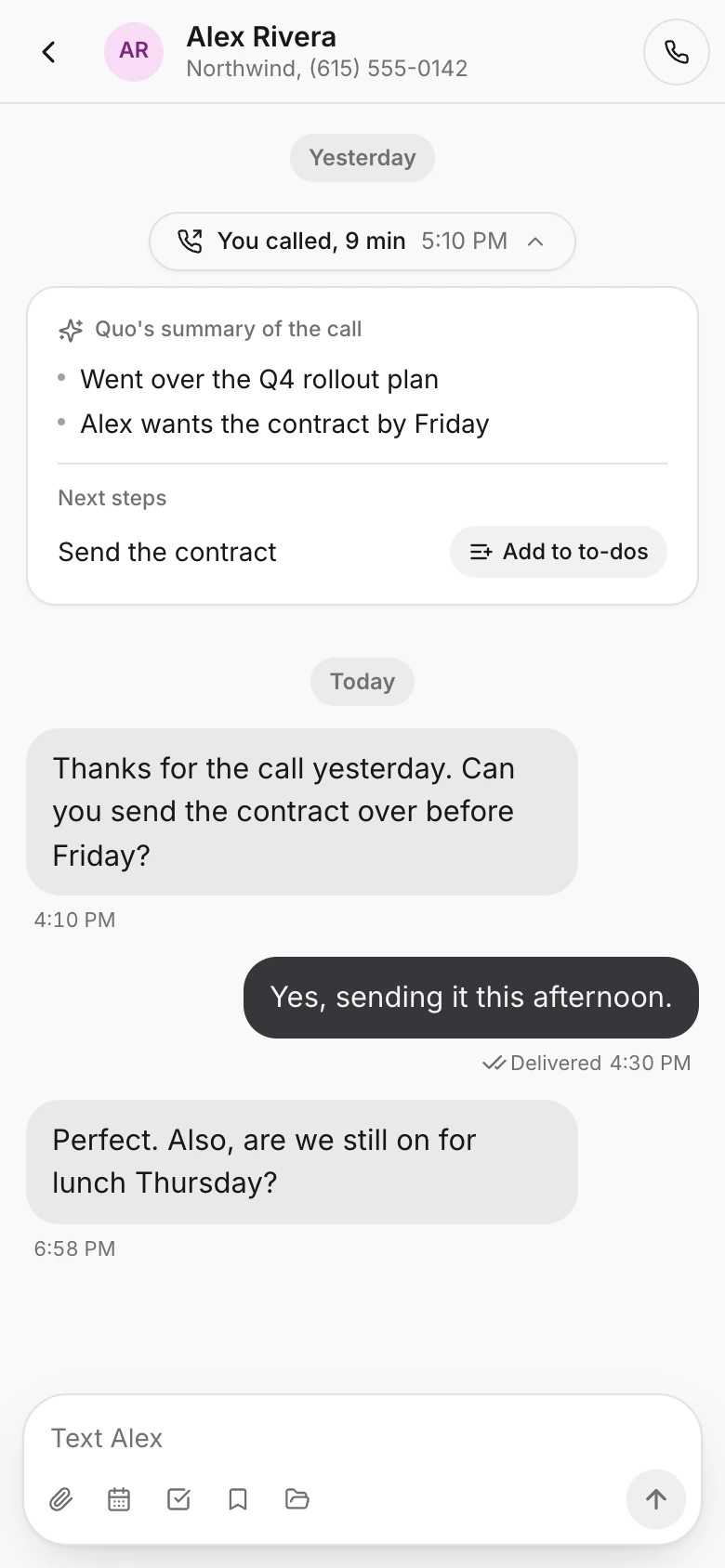
Next steps become to-dos
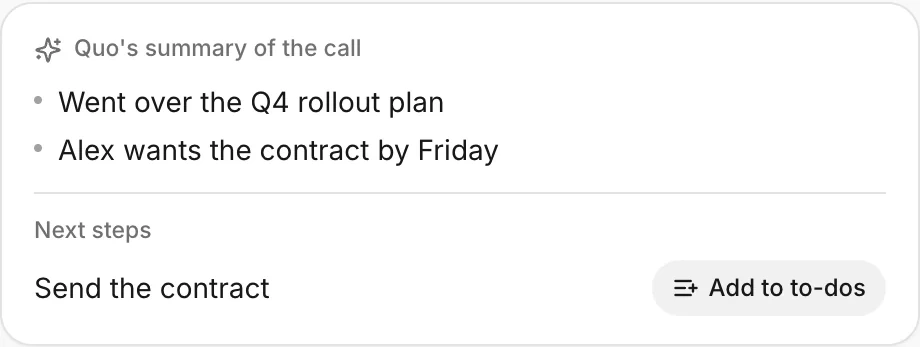
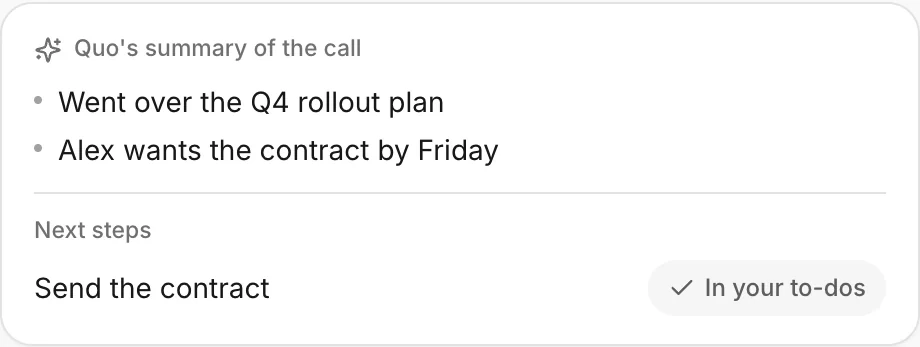
Quo summarizes each call. Press Add to to-dos on any next step and it’s on your list, saying which call it came from.



Connect Quo and every business text, call and voicemail lands in Perfect Mail, between your emails. Answer right from Triage or from its own dedicated Messages tab, turn a call’s next steps into to-dos, and see every text with a person on their page.
Triage
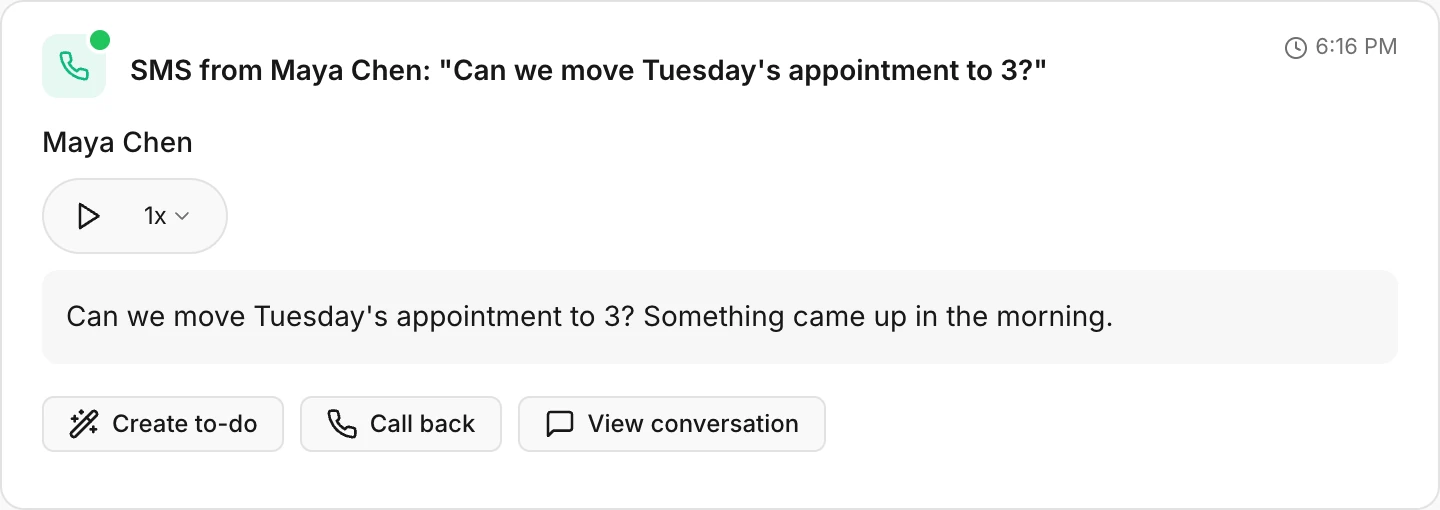
A text shows up as a card like any email: who it’s from, what they said, and a reply box ready. Missed calls and voicemails come with the words already written out.
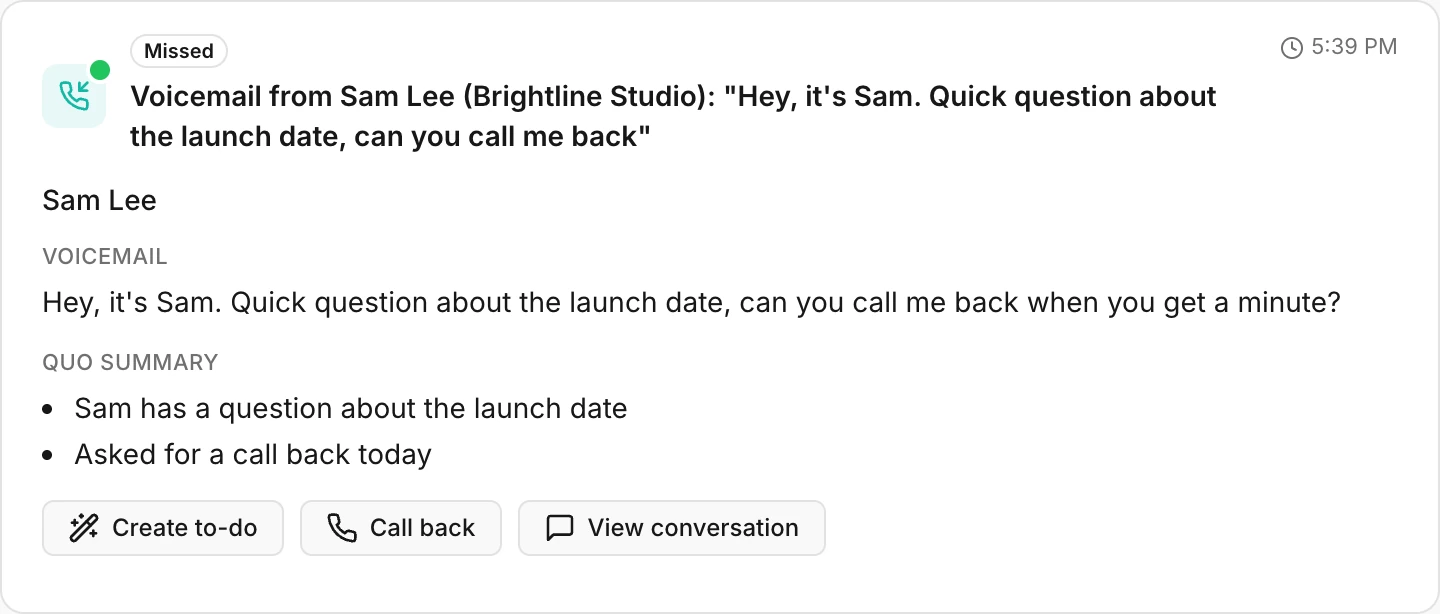
Rather keep texts apart from email? Every conversation also lives in its own Messages tab.
Messages
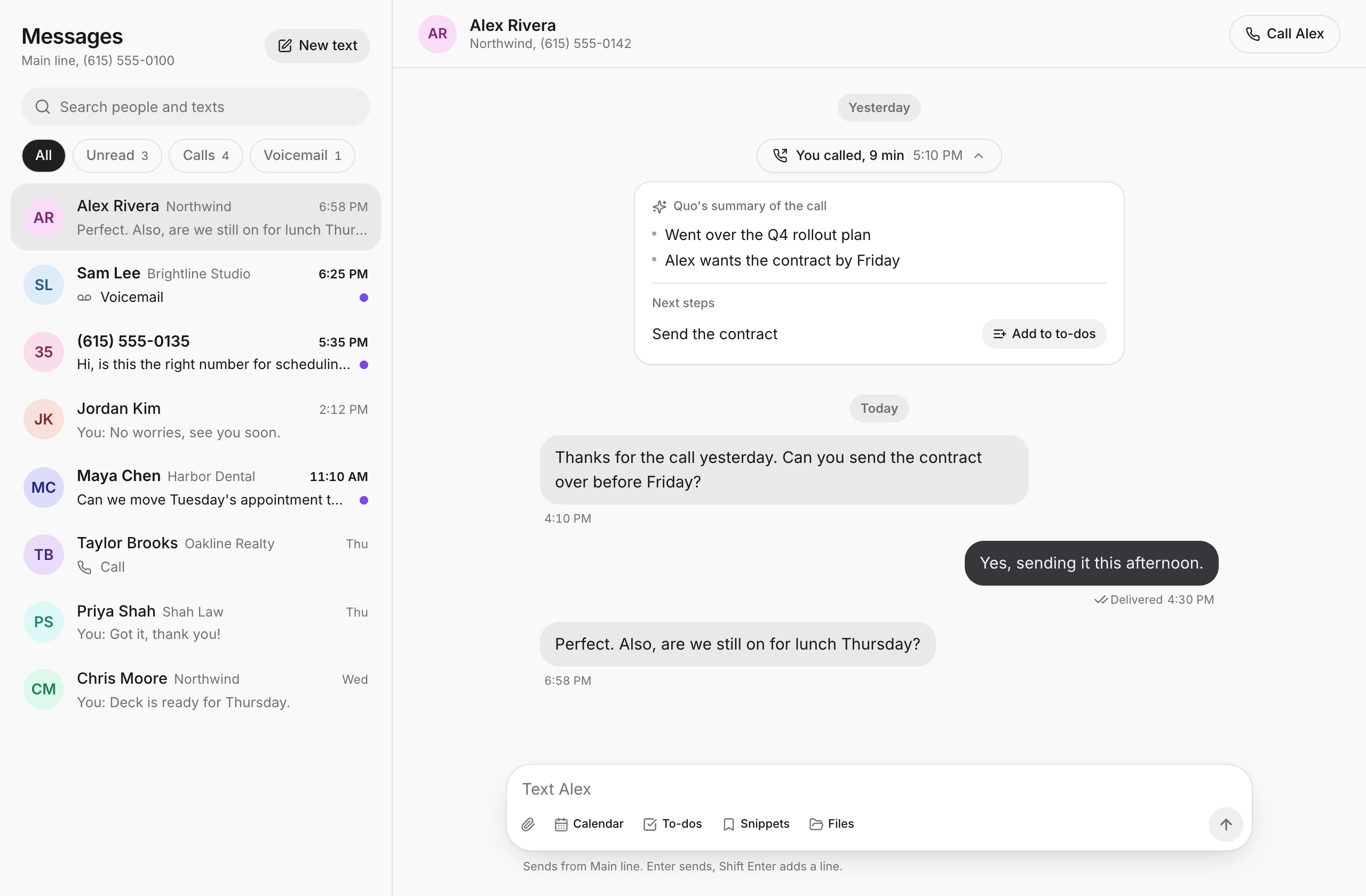
Connect Quo and Perfect Mail gets a Messages tab of its own: every conversation on your lines, with texts, calls and voicemails together, filters for Unread, Calls and Voicemail, and replies that go out from your Quo number.
People
You know how a client’s page shows every email you’ve traded? Now it shows every text and call too. Numbers are matched to your contacts, so a known number shows their name, and their page gets a Texts and calls tab.
“What did Maya say about Tuesday?”
Ask AI reads your texts and calls too. Its answers draw on texts, voicemails and call summaries as well as your mail, everywhere in the app and on a person’s page.
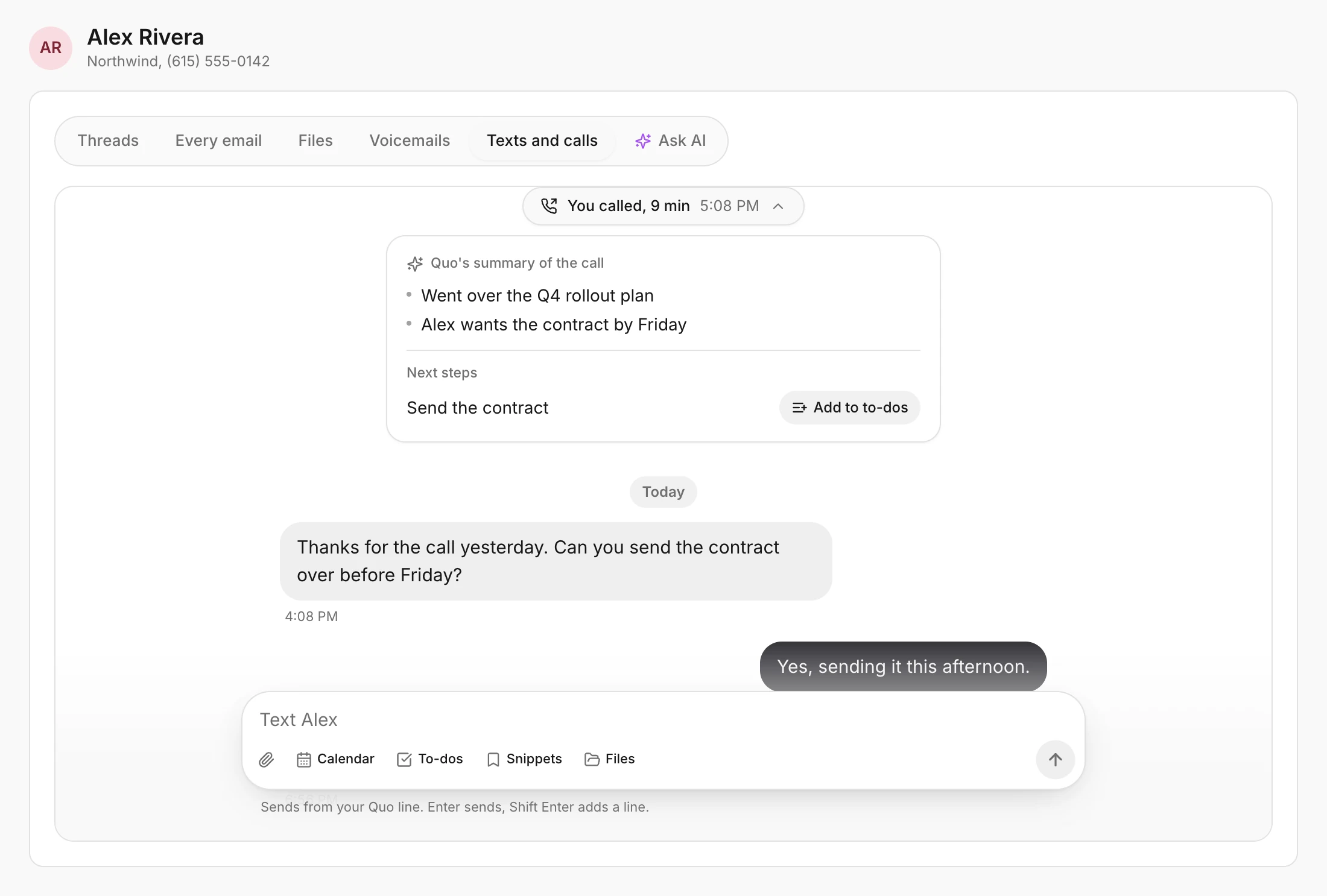
Quo summarizes each call. Press Add to to-dos on any next step and it’s on your list, saying which call it came from.
The same tools as Compose: offer times that work from your calendar, quote a snippet, send a to-do list or attach a file.

Give each Quo line to the person who answers it, or pair it with an inbox so its texts show in that inbox’s Triage.
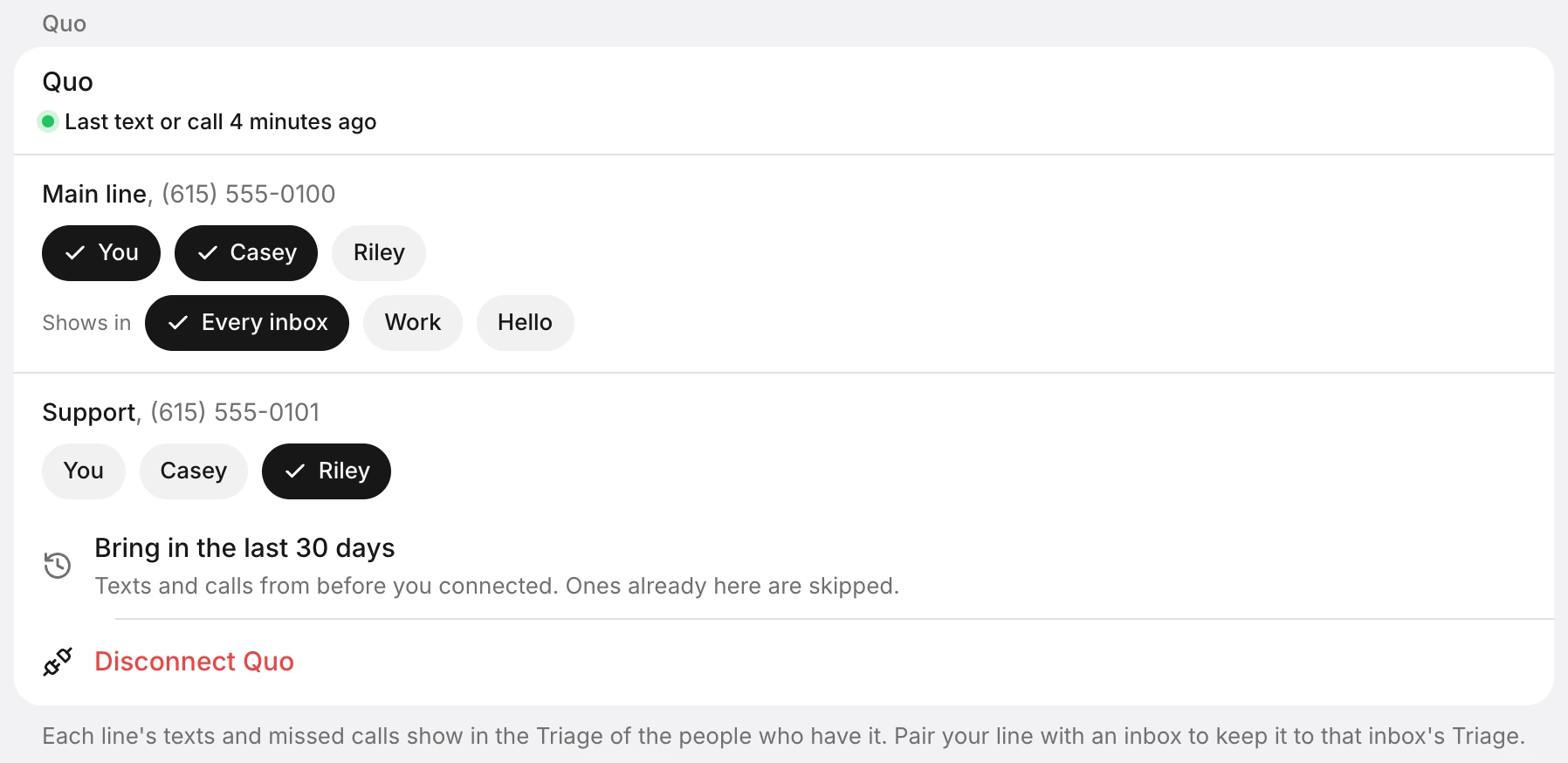
In Perfect Mail, open Settings, then Integrations, then Quo. Paste your Quo API key (it’s in Quo under Settings, then API) and press Connect. Your texts and calls start coming in.
Don’t have Quo yet? Get it here.
The full guide, with how it compares to Quo’s own email option: Quo (OpenPhone) texts and calls in your email.
Calls go to https://api.openphone.com/v1 and, for webhooks, https://api.quo.com, with your key. Perfect Mail calls these and nothing else.
/v1/phone-numbersWhen you connect, to check the key and list your lines, so you can give each one to a teammate.
/webhooksWhen you connect, to make one webhook for new and delivered texts, finished calls, recordings, transcripts and summaries. Every delivery is signed, and Perfect Mail checks the signature before it keeps anything.
/v1/conversationsWhen you connect, to find the last 30 days of conversations to bring in.
/v1/messages, /v1/callsFor those conversations, and when you open someone whose history hasn’t arrived yet.
/v1/call-recordings, -transcripts, -summariesFor a call, so you can play it, read it, and see Quo’s summary and next steps.
/v1/messagesWhen you send a text, from the Quo number it belongs to.
/webhooks/{id}When you disconnect, to remove the webhook Perfect Mail made.