
Quo (OpenPhone) Email Integration for Texts and Calls
Get Quo (formerly OpenPhone) texts, calls and voicemails in your email inbox, and reply from it. No Zapier. Connect your Quo API key in a minute.
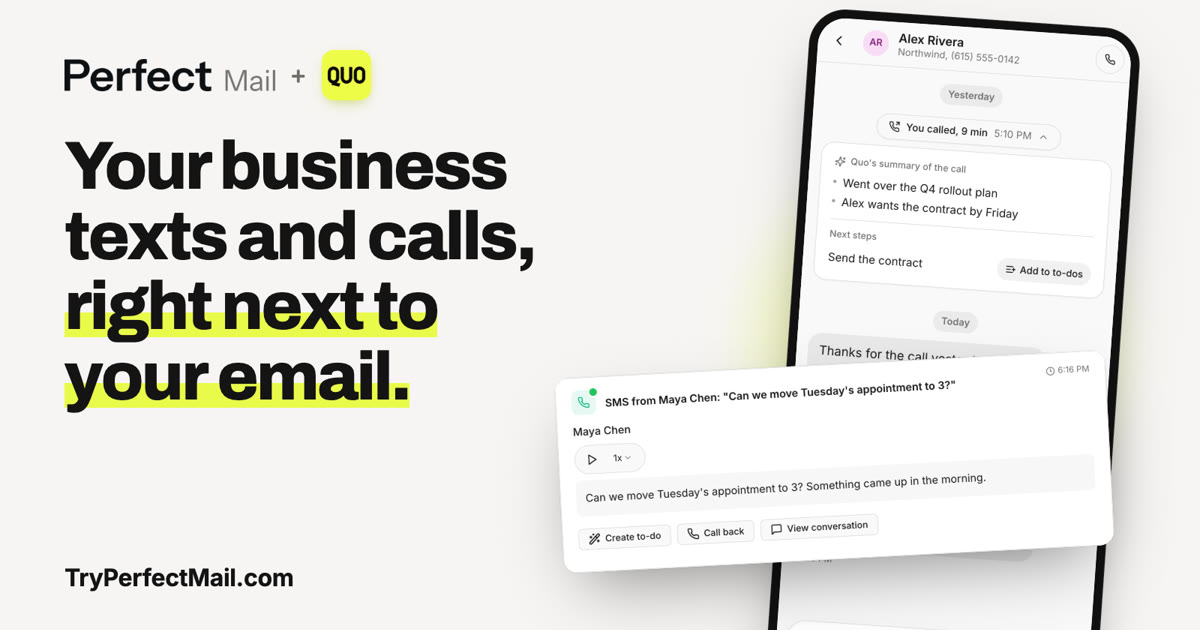
Short answer: Quo's own email option only sends you notifications, so you can't reply to a Quo text from your email. Perfect Mail's Quo integration changes that. Your Quo texts, calls and voicemails show up inside Perfect Mail next to your Gmail or Outlook email, and you reply from your Quo number right there.
If your business runs on a Quo number (the phone system formerly called OpenPhone), you have two inboxes. Email in one app, texts, calls and voicemails in another. Perfect Mail's Quo integration puts your business texts and calls right next to your email, and lets you answer them from there.
Can you get Quo (OpenPhone) texts in your email and reply?
Yes, in two ways, and they're very different.
Quo's built-in email notifications. In Quo, an admin can connect a number to email under Settings, Phone Numbers, Integrations. You then get an email for each new text, missed call and voicemail, with a link back to Quo. It's a notification. To answer, you go back to Quo.
Automation recipes. Zapier, Relay and similar tools can copy each Quo text into a Gmail email. They take setup, they run on someone's paid plan, and a reply to that email doesn't go back to the customer as a text.
Perfect Mail's Quo integration. Your texts, calls and voicemails come into your email app as themselves, not as notification emails. You read them, answer them from your Quo number, and see them with the rest of a client's history. Nothing to build.
Your business texts and calls, right next to your email
Connect Quo and every business text, call and voicemail lands in Perfect Mail's Triage, between your emails. Answer from your Quo number, turn a call's next steps into to-dos, and see every text with a person on their page.
Perfect Mail works with Gmail and Outlook accounts, so this is a way to get Quo texts in Gmail or Outlook that you can actually reply to.
How to forward Quo text messages to your email automatically
Most guides for forwarding text messages to email use a phone setting or an SMS forwarding app, and the copy that lands in your inbox is read-only. With Quo connected to Perfect Mail, there's nothing to forward. Every text to your Quo number arrives in your inbox by itself, as it happens, and stays a real conversation you can answer.
Email, texts and calls in one place to clear them
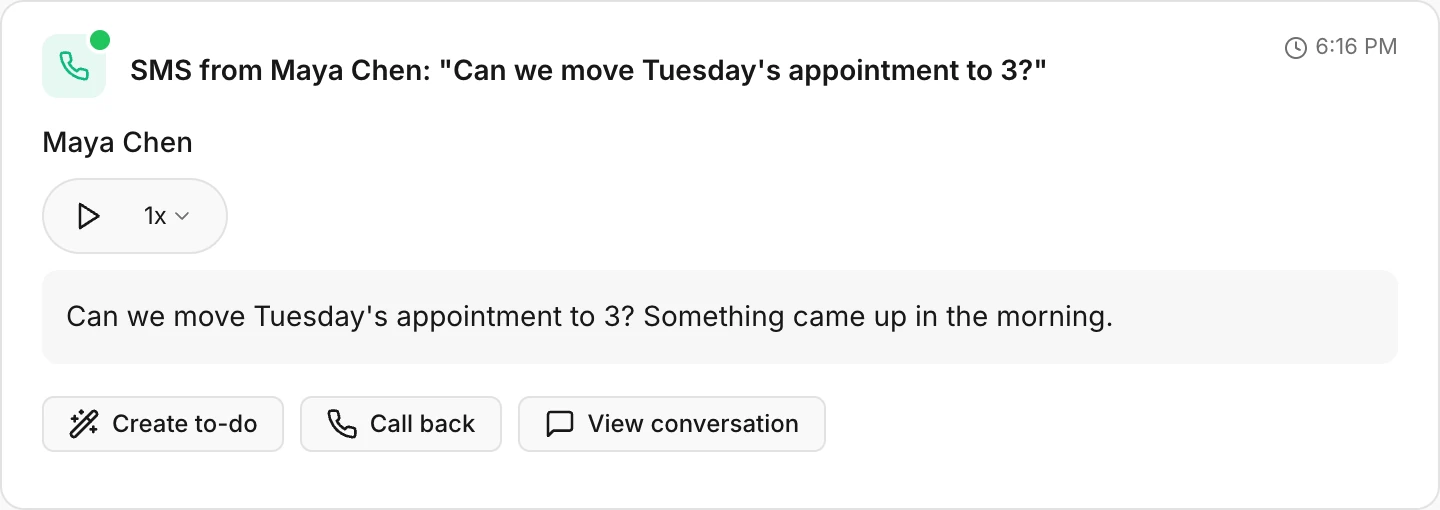
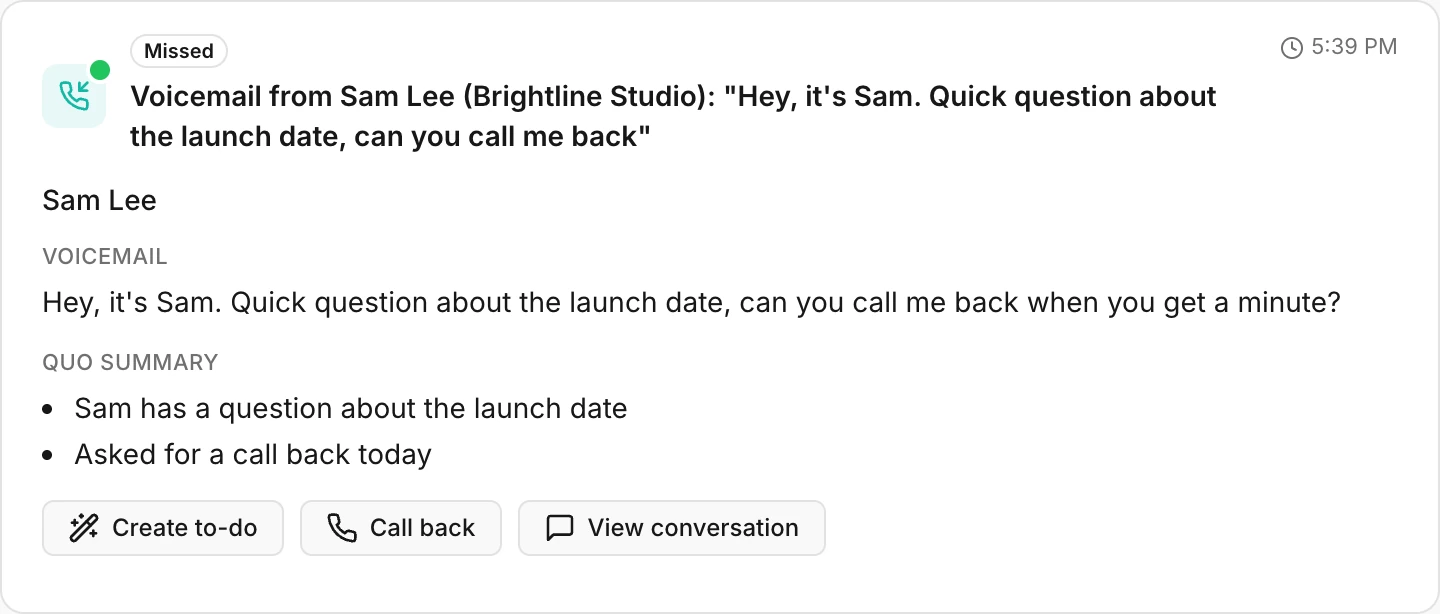
A text shows up as a card like any email: who it's from, what they said, and a reply box ready. Missed calls and voicemails come with the words already written out.
- A text is a card. Answer it by text from the same card, without leaving Triage.
- Voicemails you can read. Their words and Quo's summary, with Call back one press away.
- On your phone too. A new text, missed call or voicemail sends a push notification.
A dedicated Messages tab
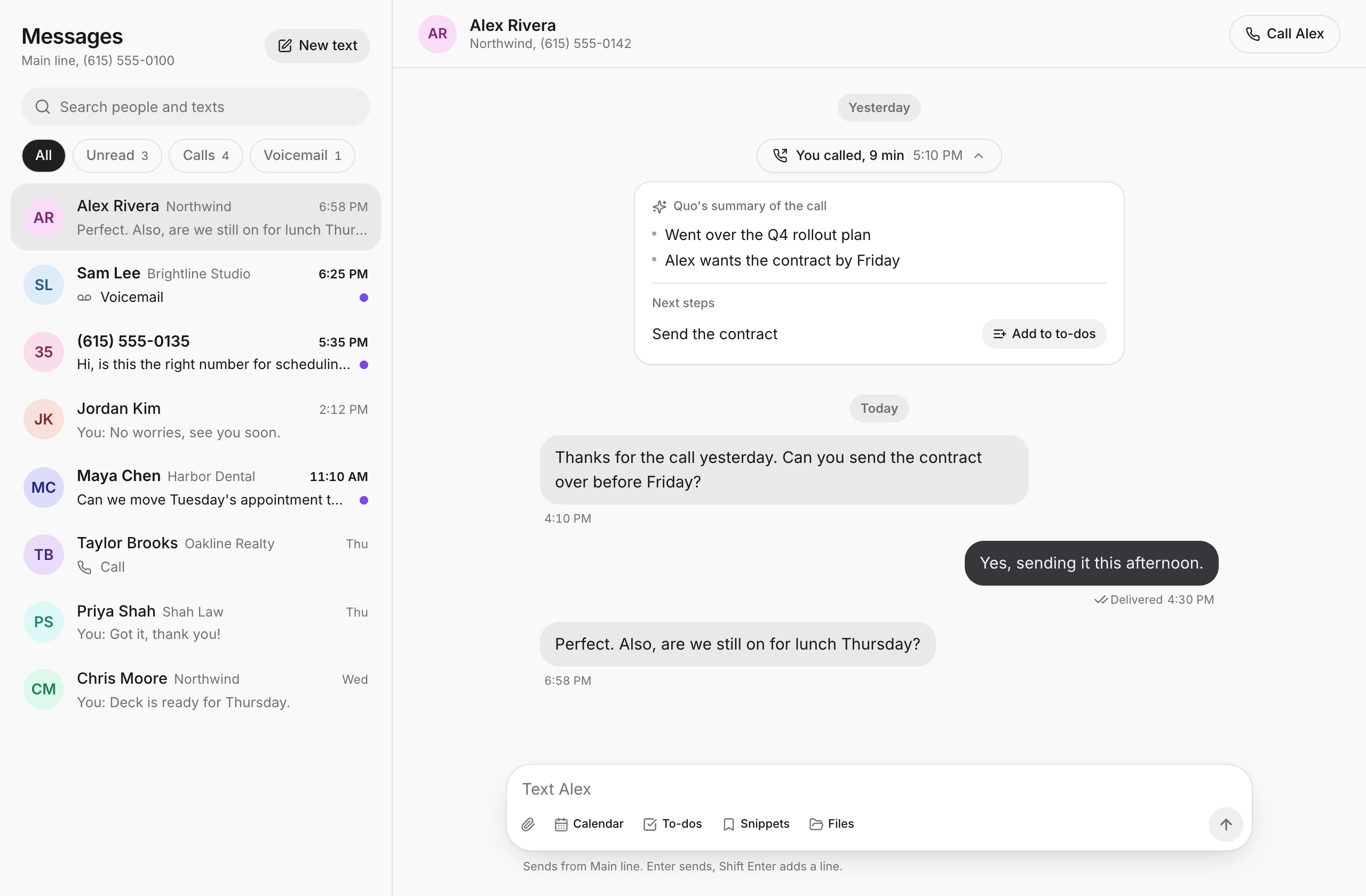
Connect Quo and Perfect Mail gets a Messages tab of its own: every conversation on your lines, with texts, calls and voicemails together. Filter by Unread, Calls and Voicemail, search names, numbers and words, and reply from your Quo number. Texts can carry pictures and PDFs.
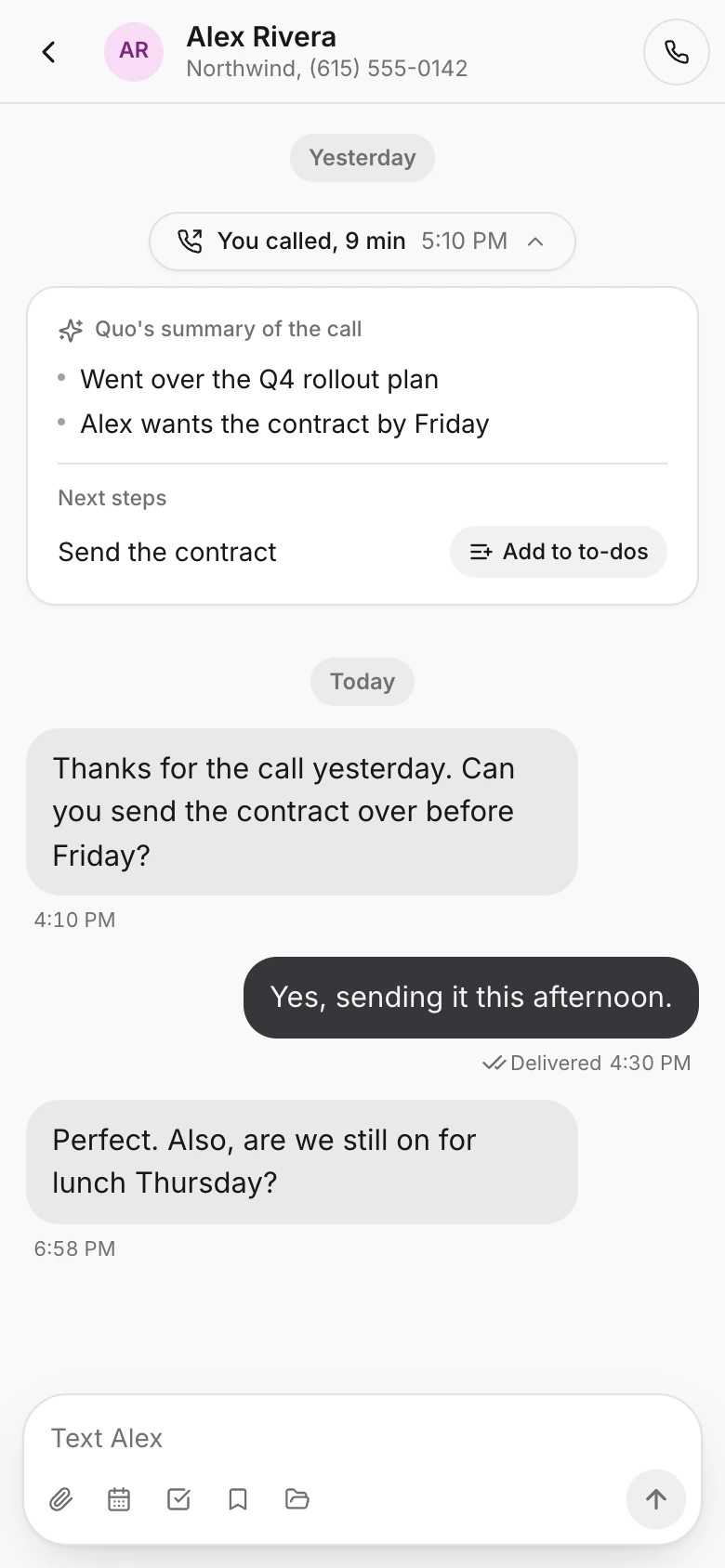
Click a client and see every email, text and call
A client's page already shows every email you've traded. Now it shows every text and call too. Numbers are matched to your contacts, so a known number shows their name, and their page gets a Texts and calls tab. A number Perfect Mail doesn't know gets Link to contact, once, and from then on the thread and the person are one.
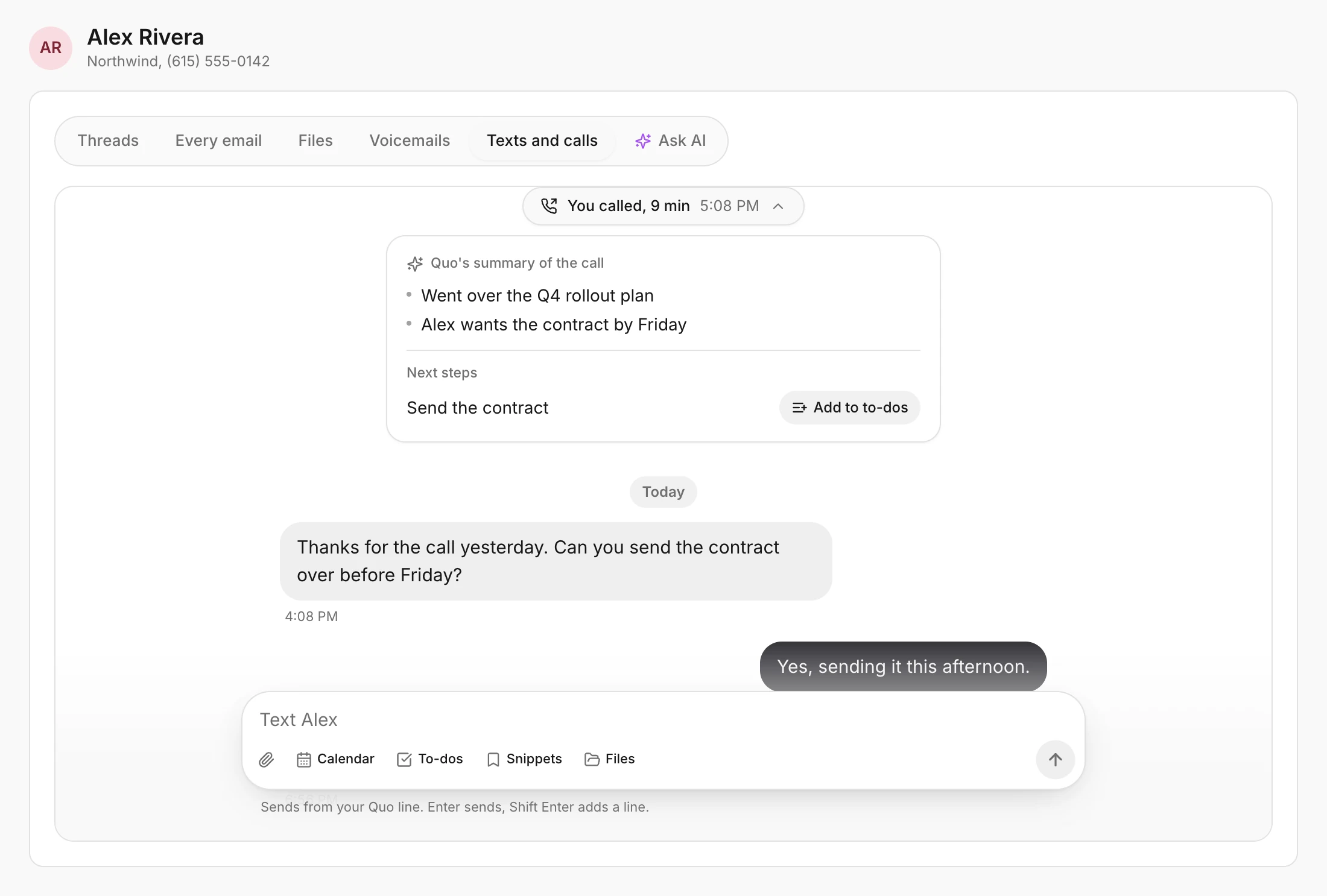
Turn a call's next steps into to-dos
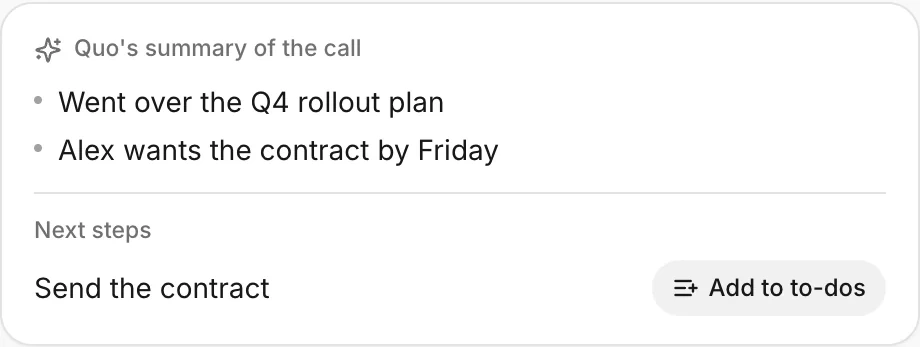
Quo summarizes each call and lists next steps. Press Add to to-dos on any next step and it's on your list, saying which call it came from. What you promised on the phone doesn't get lost.
Ask AI reads your texts and calls
Ask "What did the client say about Tuesday?" and Ask AI looks through your texts, voicemails and call summaries as well as your mail, everywhere in the app and on a person's page.
Write a text like an email
Texts get the same tools as Compose: offer times that work from your calendar, quote a snippet, send a to-do list or attach a file.

Quo for teams: every line to the right person
Give each Quo line to the person who answers it, or to several people. Or pair a line with an inbox so its texts show in that inbox's Triage. A shared support line can sit with the support inbox, and each salesperson's line with them.
How to connect Quo to Perfect Mail
Paste your API key and you're set.
- In Perfect Mail, open Settings, then Integrations, then Quo.
- In Quo, copy your API key from Settings, then API.
- Paste it into Perfect Mail and press Connect.
Your texts and calls start coming in. The last 30 days arrive when you connect. To import everything, choose Bring in all history.
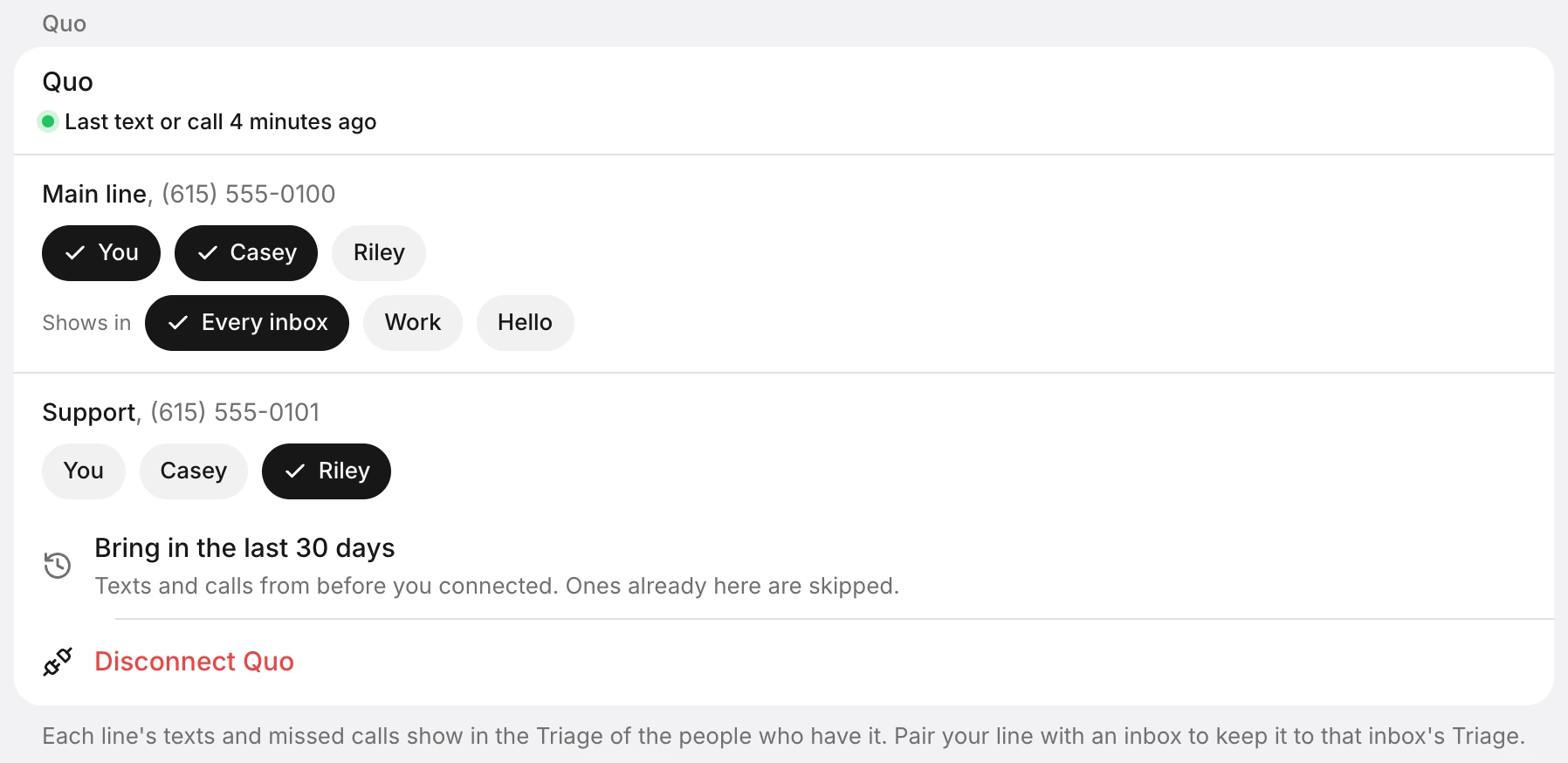
Don't have Quo yet? Get it on quo.com.
Your key and your data
- Your API key stays on our servers, is never shown again in the app, and is used only for the calls listed on the Quo integration page.
- Quo signs every delivery it sends us, and Perfect Mail checks the signature before it keeps anything.
- Perfect Mail keeps the texts, calls, voicemails, transcripts and summaries it brings in, so you can read, search and answer them. See the privacy policy.
- Disconnect in Settings, then Integrations, then Quo. The webhook is removed from your Quo workspace.
Limitations
- The last 30 days come in when you connect. Older history stays in Quo unless you choose Bring in all history.
- Quo's API can't place calls, so Call opens the Quo app on that number.
- A text can carry pictures and PDFs up to 5 MB.
Frequently asked questions
What is OpenPhone called now?
OpenPhone is now called Quo. It renamed itself in 2025. Same company, same numbers, same API key. Everything here works with what used to be your OpenPhone account.
How can I automatically forward all my OpenPhone texts to my email?
Connect Quo to Perfect Mail. Every text to your Quo number then arrives in your inbox on its own, and you can answer it, which a forwarded copy can't do.
Can I reply to Quo texts from my email?
In Perfect Mail, yes. You answer right from the card in Triage, the Messages tab or the person's page, and the text goes out from your Quo number. Quo's own email notifications link you back to Quo to reply.
Do I need Zapier to get OpenPhone texts in Gmail?
Not with Perfect Mail. The connection is built in. You paste your Quo API key once, and texts and calls arrive as they happen, signed by Quo.
Can I get OpenPhone voicemail transcripts in my inbox?
Yes. Voicemails arrive with their words written out and Quo's summary, with Call back next to them.
Does it work for a team with several Quo numbers?
Yes. Each line can go to one person or several, and a line can be paired with one inbox so its texts show only in that inbox's Triage.
Can I use Quo on my computer next to my email?
Yes. Perfect Mail works in your browser and has apps for Mac and iPhone, and your Quo texts, calls and voicemails sit in it next to your email. Calls open in the Quo app.
Can I make calls from Perfect Mail?
Call opens the Quo app on that number, because Quo's API doesn't let other apps place calls. Texts send straight from Perfect Mail.
Does it work with Outlook as well as Gmail?
Yes. Perfect Mail works with Gmail and Outlook accounts, and your Quo texts and calls sit next to whichever you use.
Stop checking two inboxes
Your email and your business line, cleared together. Connect Quo to Perfect Mail. New to Perfect Mail? Download it for Mac and iPhone.