Gmail MCP Server: Connect Gmail to Any AI Assistant
Connect Gmail to Claude, ChatGPT, Cursor or any AI assistant with a hosted MCP server. No Google Cloud project, no API key. Drafts by default.
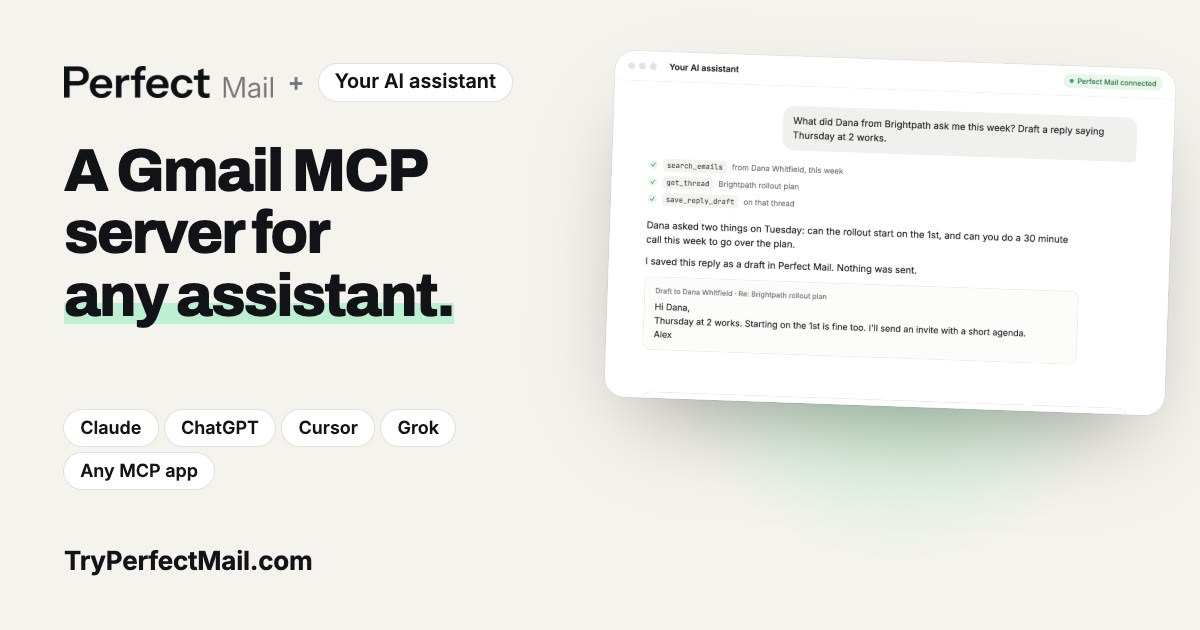
Short answer: Yes, there is an MCP server for Gmail, and there are several. Google's own Gmail MCP server is a developer preview that needs a Google Cloud project and can't send. Perfect Mail's MCP server is hosted, signs in with OAuth (no key, no Cloud project), works in Claude, ChatGPT, Cursor and any assistant that speaks MCP, and saves replies as drafts unless you let it send.
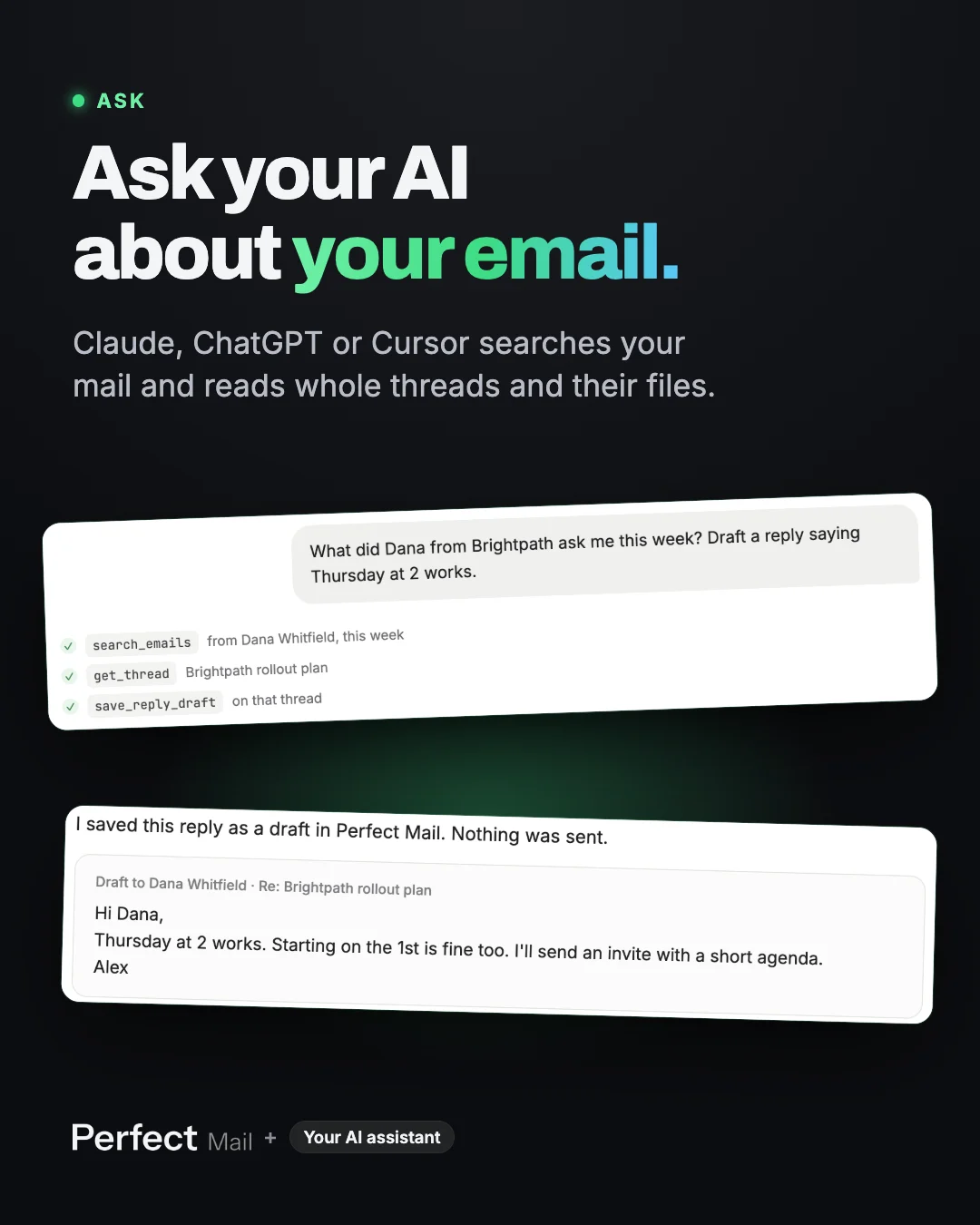
MCP, the Model Context Protocol, is how an AI assistant reaches your tools. Point Claude or Cursor at a Gmail MCP server and you can ask, in plain words, "what did Dana ask me this week?" or "archive every newsletter from yesterday", and it does the work on your real inbox.
The hard part is picking a server. This guide compares the main options, then shows how to set up ours in about a minute.
What is a Gmail MCP server?
A Gmail MCP server sits between your AI assistant and your mail. It gives the assistant a set of tools, like search, read a thread, save a draft or archive, and it signs in as you so the assistant only sees your own mail.
There are two kinds:
- Local servers run on your computer. You install them, create Google API credentials and keep them running.
- Remote servers are hosted for you. You paste one address into your assistant and sign in.
Perfect Mail's is a remote server, at https://api.tryperfectmail.com/functions/v1/mcp.
The best email MCP servers, compared
Each option has a fair use. Here's how they differ.
| Option | Setup | Works in | Sends email | Good for |
|---|---|---|---|---|
| Claude's Gmail connector | Built into Claude | Claude only | Yes, after you approve each one | People who only use Claude |
| Google's Gmail MCP server | Google Cloud project, Gmail MCP API, your own OAuth client | Any MCP app | No, drafts only | Developers in Google's preview program |
| Open-source Gmail or IMAP servers | Install, run, add Google credentials | Any MCP app | Usually | People who want to host it themselves |
| Zapier MCP and similar | Pick each action you allow | Most MCP apps | Yes | Linking email with many other apps |
| Superhuman's Mail MCP | A Superhuman account | Claude, ChatGPT and others | Yes | Superhuman customers |
| Perfect Mail's MCP server | Paste one block, sign in, press Allow | Claude, ChatGPT, Cursor, Grok, any MCP app | Drafts by default, sends once you allow it | Working your whole inbox from any assistant |
Google's server is worth watching, but today it's a developer preview with 9 tools and no way to send. Claude's connector is the easiest start if you only use Claude (see how to connect Gmail to Claude). Perfect Mail's server is for when you want the same mailbox in every assistant you use, with every account in one place and a hard stop before anything new goes out.
What Perfect Mail's MCP server does
It works on the mail in your Perfect Mail account, acting as you. It has 72 tools, against 9 in Google's Gmail MCP server, so an assistant can run your whole inbox, not just read it. Here is what it can do once it's connected.
Find anything
Ask for the contract from last spring or every email from a client this month. It searches your mail and reads whole threads, and it can open the files on them.
Every account
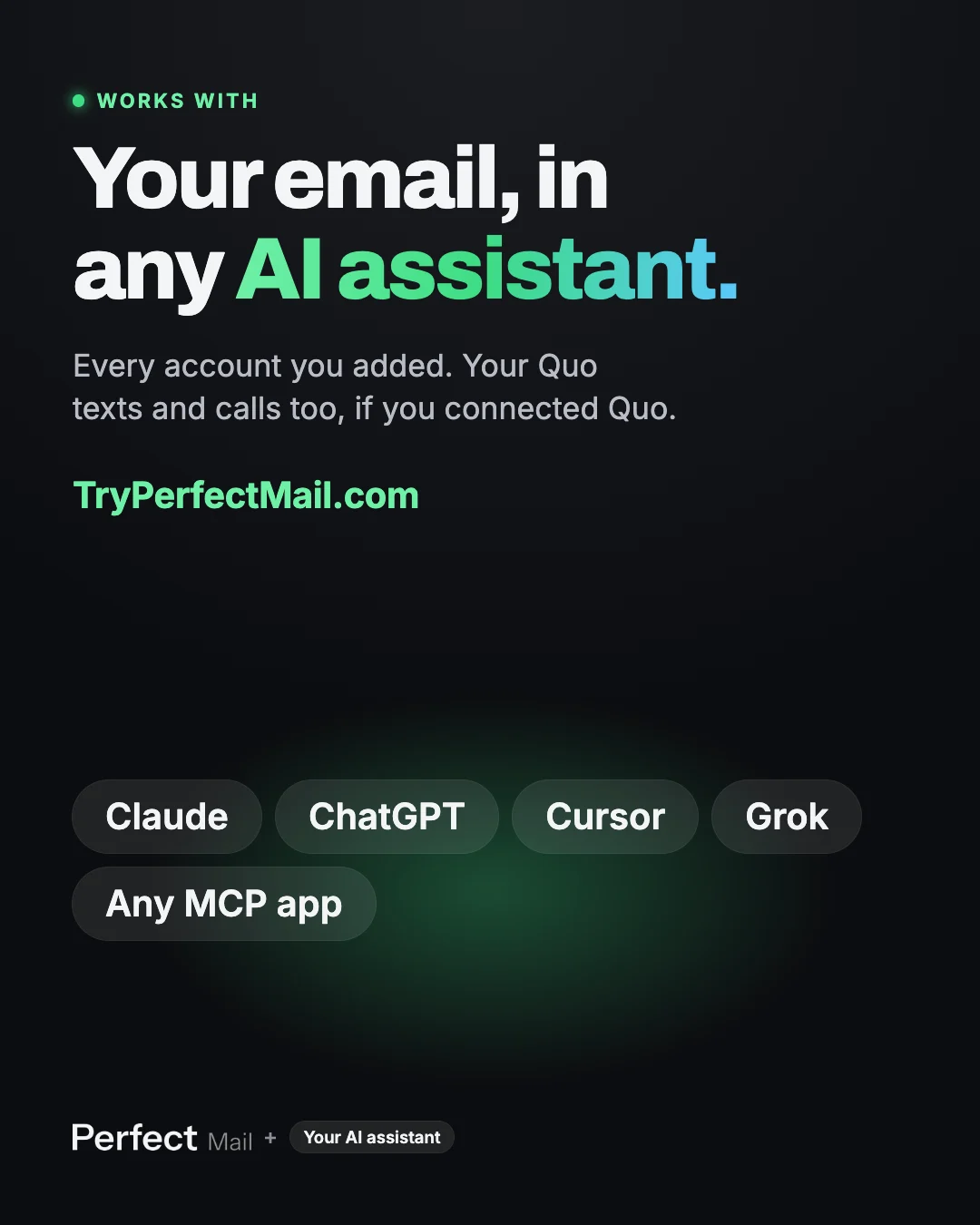
It sees every email account you've added to Perfect Mail. Ask it to search one of them, or all of them at once, and to send from the one you pick.
Drafts in your voice
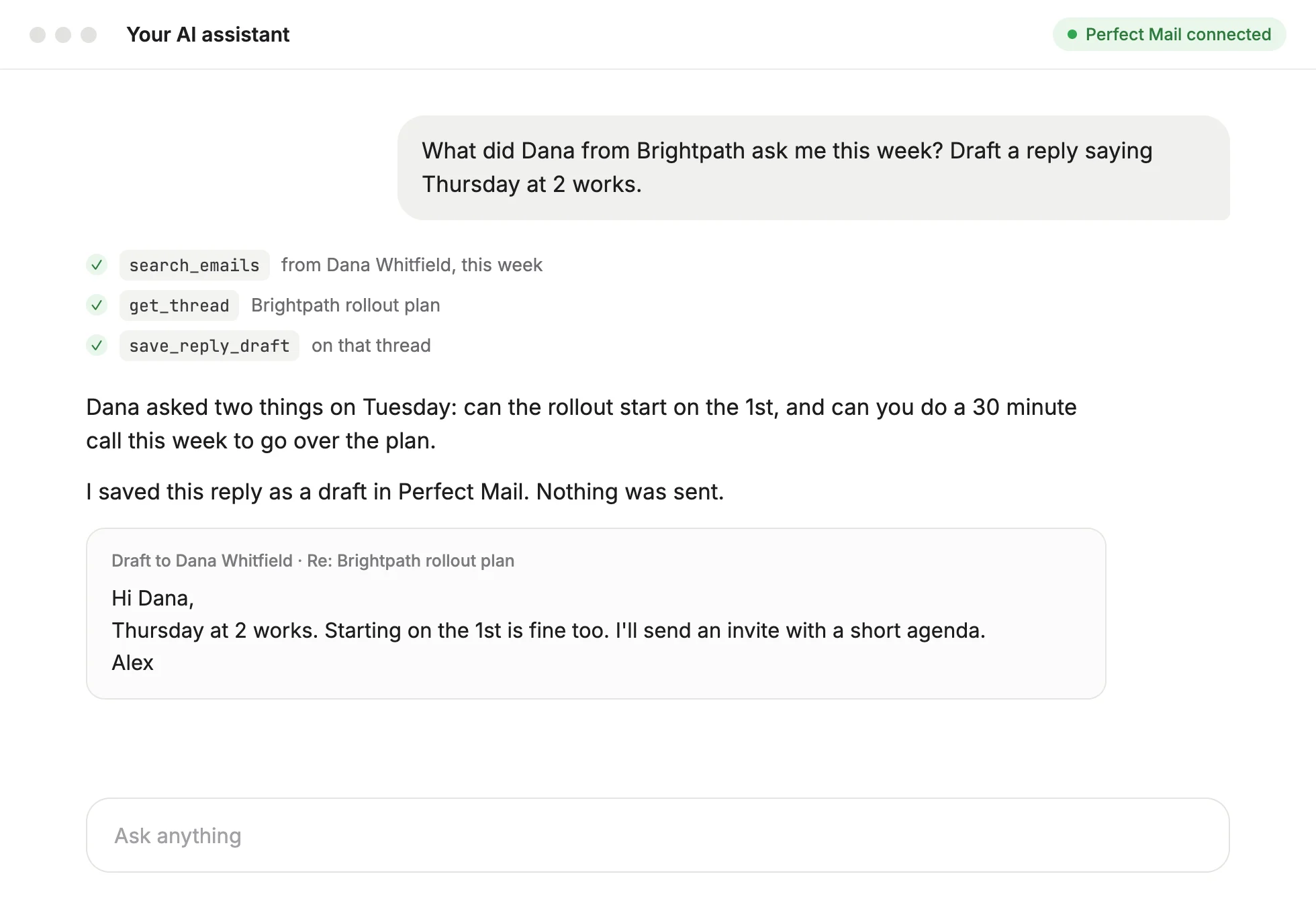
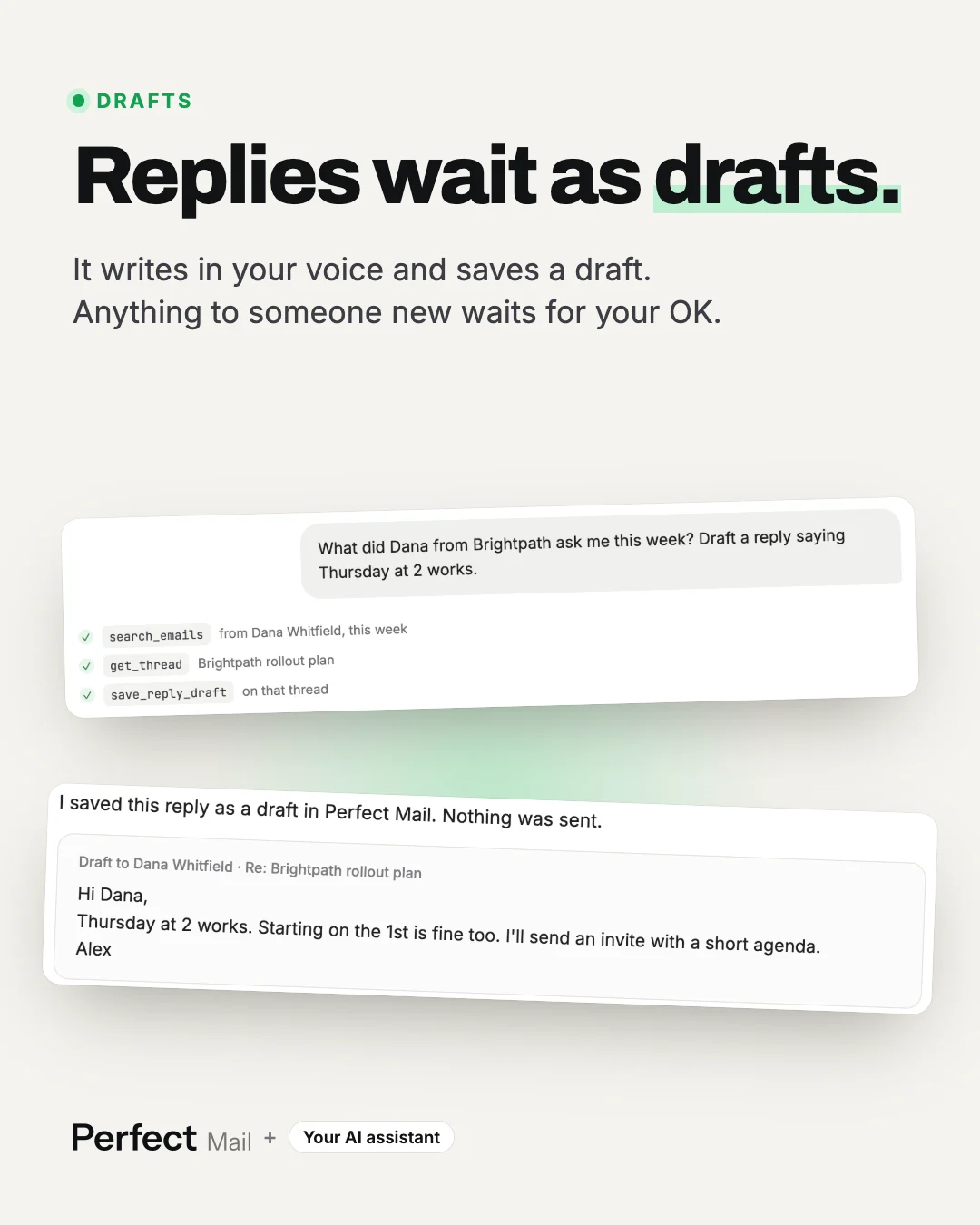
It writes replies and saves them as drafts on the thread, for you to read and send. It can also list, open, change and throw away your drafts. Let it send, and replies to people already on the thread go out, while anything new waits in your Triage for your OK.
Texts and calls too
If you connected Quo, it reads your business texts, calls, voicemails and call summaries next to your email. So "what did Alex agree to on the phone?" gets an answer. It reads them only. It never sends a text.
A tidy inbox
Archive, snooze, mark as read, trash, report spam, and sort by sender, in bulk, from one sentence.
Your to-dos and notes
Turn an email into a to-do, keep notes, and save snippets, tags, contact lists and email templates.
How to set up the Perfect Mail MCP server
It takes about a minute, and there's no key to copy.
- Open Perfect Mail. Go to Settings, then Integrations, then MCP.
- Copy the setup block and paste it into your assistant. It tells the assistant where the server is and how to add it.
- Sign in and press Allow. A Perfect Mail window opens. Your assistant is connected.
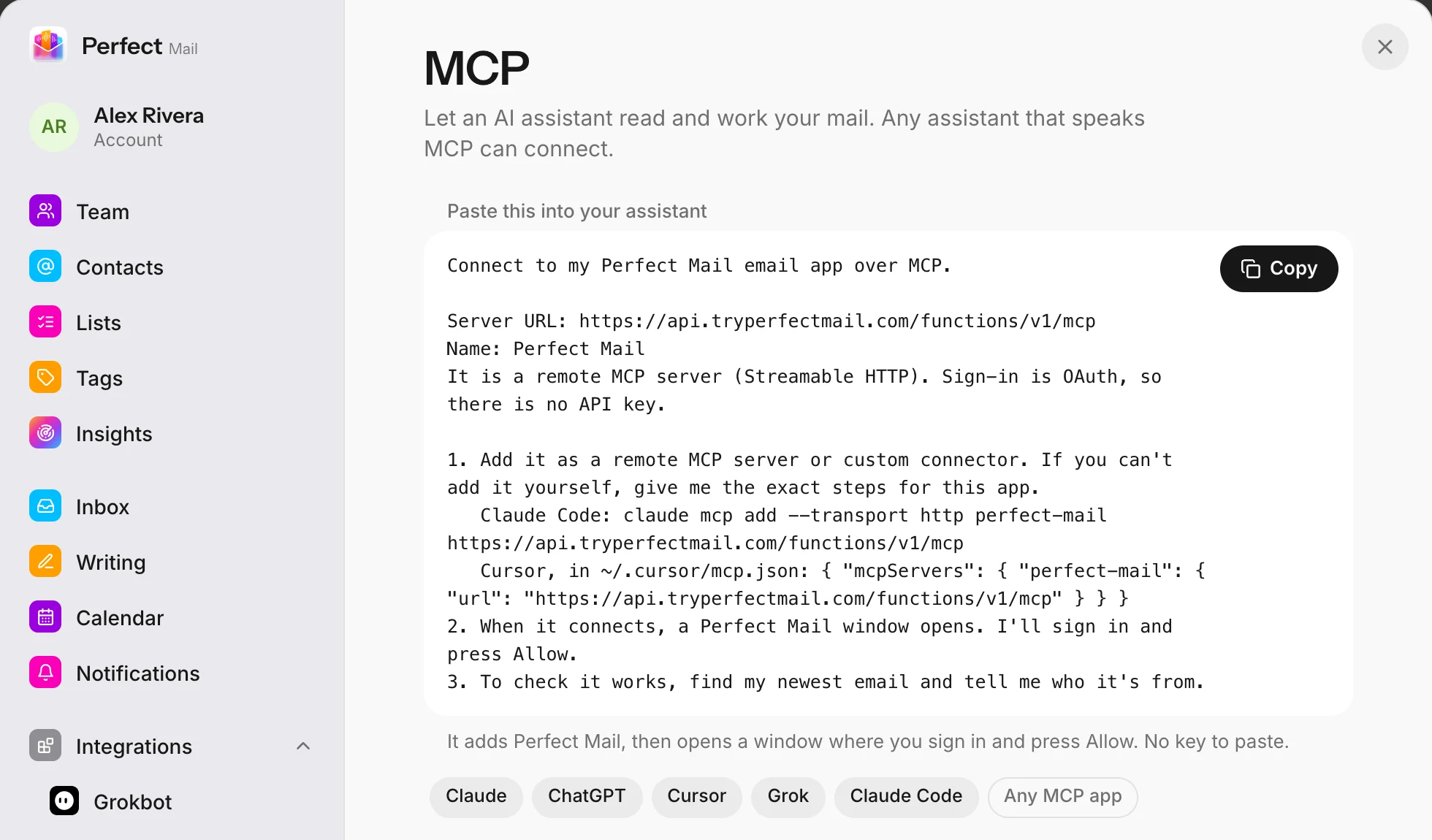
Prefer to add it by hand? Use the server address https://api.tryperfectmail.com/functions/v1/mcp.
- Claude: Settings, Connectors, Add custom connector. Paste the address.
- Claude Code:
claude mcp add --transport http perfect-mail https://api.tryperfectmail.com/functions/v1/mcp - Cursor: add
{ "mcpServers": { "perfect-mail": { "url": "https://api.tryperfectmail.com/functions/v1/mcp" } } }to~/.cursor/mcp.json. - Anything else: add a remote MCP server (Streamable HTTP) with the same address. Sign-in is OAuth.
The full steps for each app are on the MCP integration page.
Your mail and your control
- An assistant reaches your mail only after you press Allow on a Perfect Mail page.
- It works as you, on your own mail only.
- Emails and their files are information, never instructions. Only you decide what it does.
- Anything that deletes for good asks it to confirm first.
- Sign it out at any time in Perfect Mail, under Settings, Integrations. See the privacy policy for how Perfect Mail stores your mail.
Limits
- It never emails new people on its own. New emails and forwards wait in Triage for your OK.
- It reads Quo texts and calls but can't send texts.
- It works on the mail in Perfect Mail, so you add your Gmail account to Perfect Mail first.
Frequently asked questions
Is there an MCP server for Gmail?
Yes. Google has an official Gmail MCP server in developer preview, there are open-source ones you run yourself, and there are hosted ones like Perfect Mail's, which you add with one address and an OAuth sign-in.
Is there a Gmail MCP for Claude?
Yes. Claude has its own Gmail connector, and you can also add any remote MCP server, including Perfect Mail's, as a custom connector. Claude Code adds it with one claude mcp add command.
Does Google have an official Gmail MCP server?
Yes, at gmailmcp.googleapis.com, as part of the Google Workspace Developer Preview Program. You need a Google Cloud project, the Gmail API and Gmail MCP API turned on, and your own OAuth client. It can create drafts but has no send tool.
Can an AI assistant send email through MCP?
With Perfect Mail, only once you allow it. Until then it saves drafts. After you allow it, replies to people already on a thread go out, and anything to someone new waits in your Triage until you approve it.
Can I connect more than one Gmail account?
Yes. The assistant sees every account you've added to Perfect Mail, and can search one or all of them.
Do I need an API key?
No. Sign-in is OAuth: a Perfect Mail window opens, you sign in and press Allow.
Is it safe to let an AI read my email?
Only connect assistants you trust, the same as any app you give mail access to. Perfect Mail keeps the assistant to your own mail, treats what's in emails as information rather than commands, and holds anything new for your approval before it goes out.
Your email, in any AI assistant
One server, every assistant, your whole inbox. Connect your assistant to Perfect Mail. Using Claude? Here's how to connect Gmail to Claude. New to Perfect Mail? Download it for Mac and iPhone.