
Instantly Unibox Alternative: Answer Leads From Your Inbox
Work Instantly's positive replies in Gmail or Outlook and answer from the same cold mailbox, so the thread and lead status stay intact. Set up in a minute.
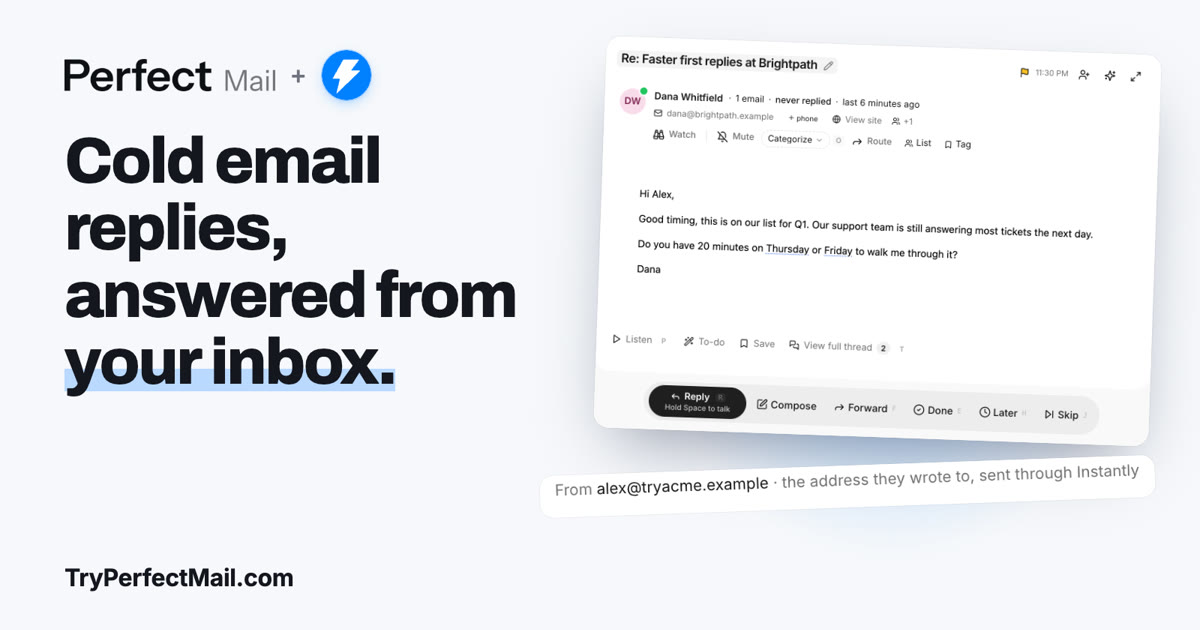
Short answer: Instantly's Unibox works, but it's one more inbox to check. The usual fix, a Reply-To address on every cold mailbox, means you answer leads from a different address than the one they wrote to. Perfect Mail's Instantly integration brings your positive replies into their own Triage next to your Gmail or Outlook email, and every answer goes out through Instantly from the same cold mailbox, so the thread and the lead status stay intact.
Cold email gets replies. Then the real work starts: answering the people who said yes, fast, without losing track of who's who. If you run outbound in Instantly, that work usually happens in the Unibox, a second inbox you have to remember to open.
What is the Instantly Unibox?
Instantly ai is a cold email platform: you connect sending mailboxes, run campaigns, and Instantly warms and rotates them. The Unibox is Instantly's built-in inbox, where replies from every sending account land in one place. It's useful, but it lives inside Instantly, apart from the email you answer all day.
How to handle Instantly replies outside the Unibox
There are three common ways, and each has a catch.
- Work in the Unibox. Everything stays in Instantly, but it's one more app and one more inbox to keep clear.
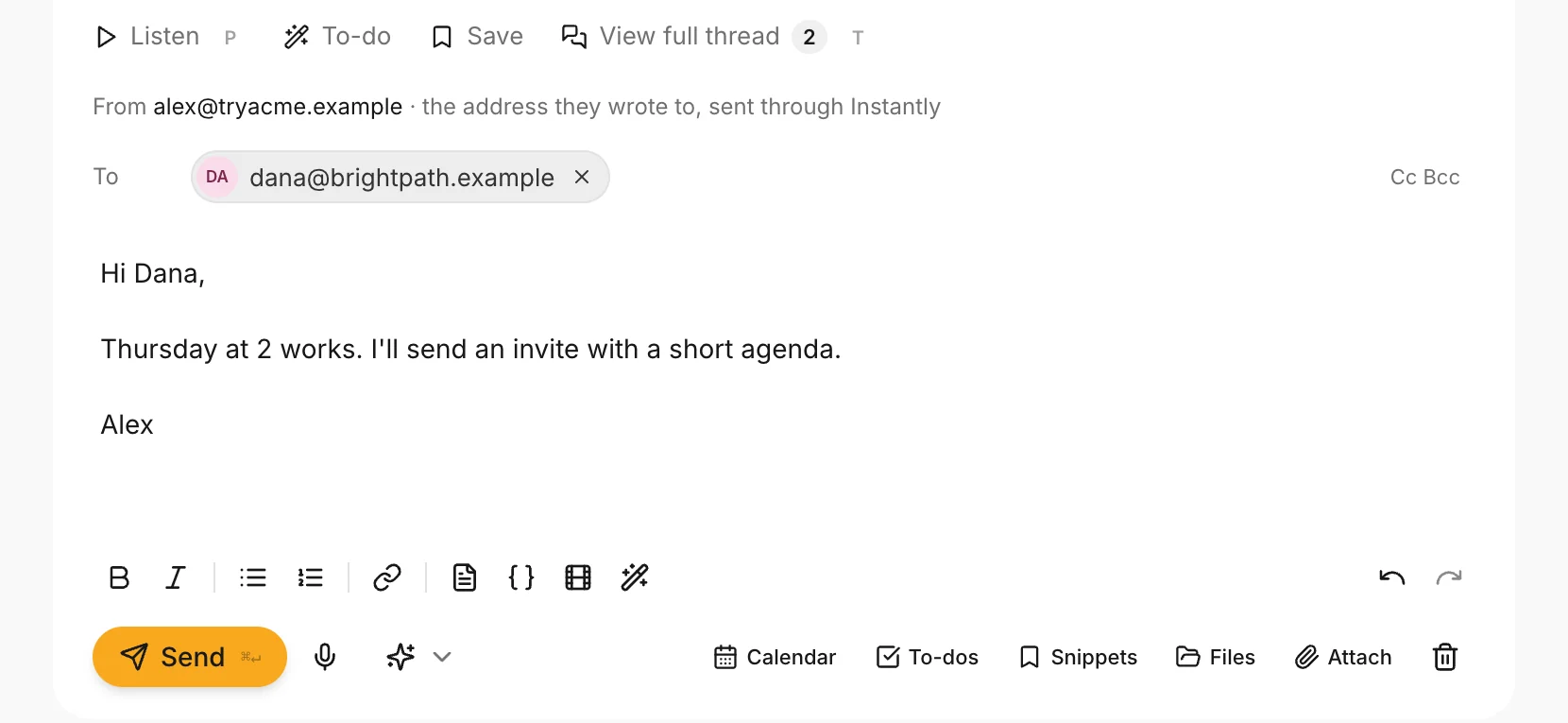
- Set a Reply-To address on each sending account. Replies land in your main Gmail or Outlook inbox. But you now answer from sales@ when the lead wrote to outreach1@, so the lead hears back from someone new, and your answer isn't part of the thread Instantly is tracking.
- Webhooks and Zapier. You can copy replies into email or a CRM, but answers don't go back through the cold mailbox.
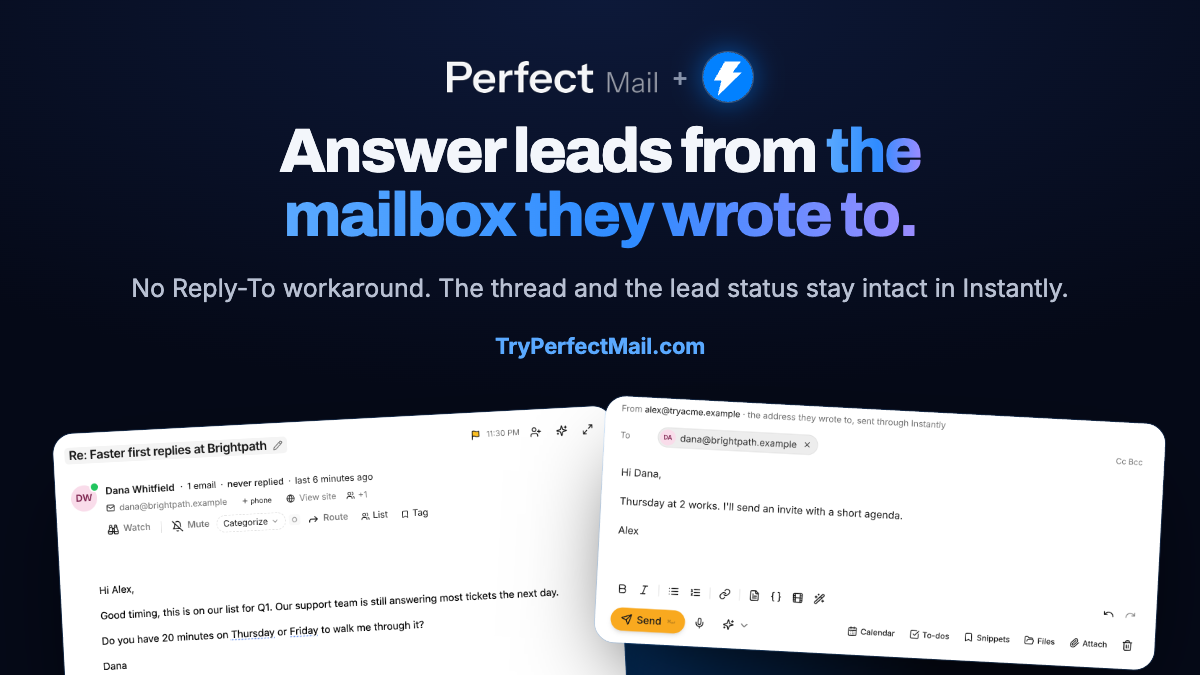
Perfect Mail's Instantly integration gives you the inbox without the catch. Positive replies come into Perfect Mail on their own, and when you answer, it goes out through Instantly's API from the same mailbox the campaign used.
Positive replies come in by themselves
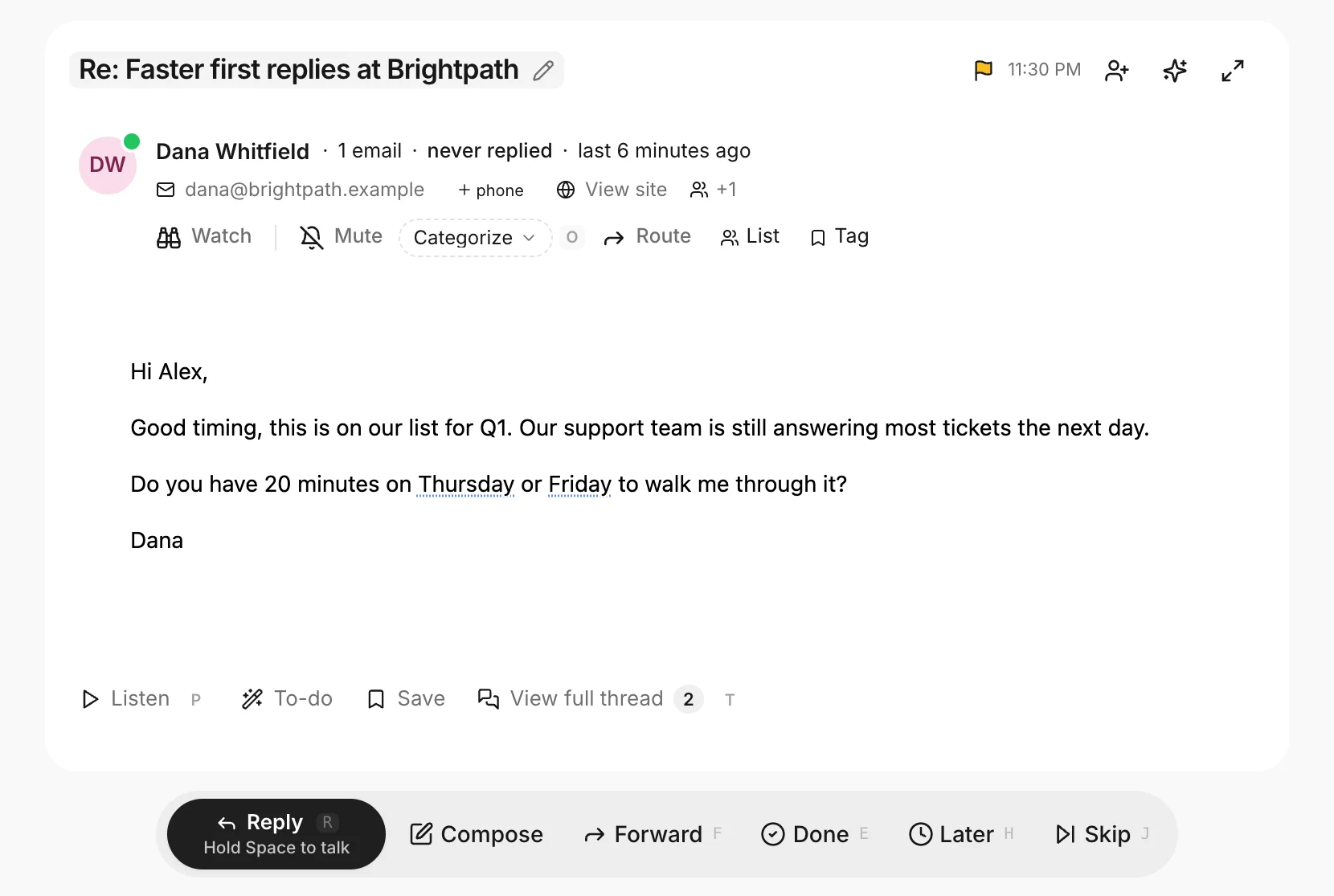
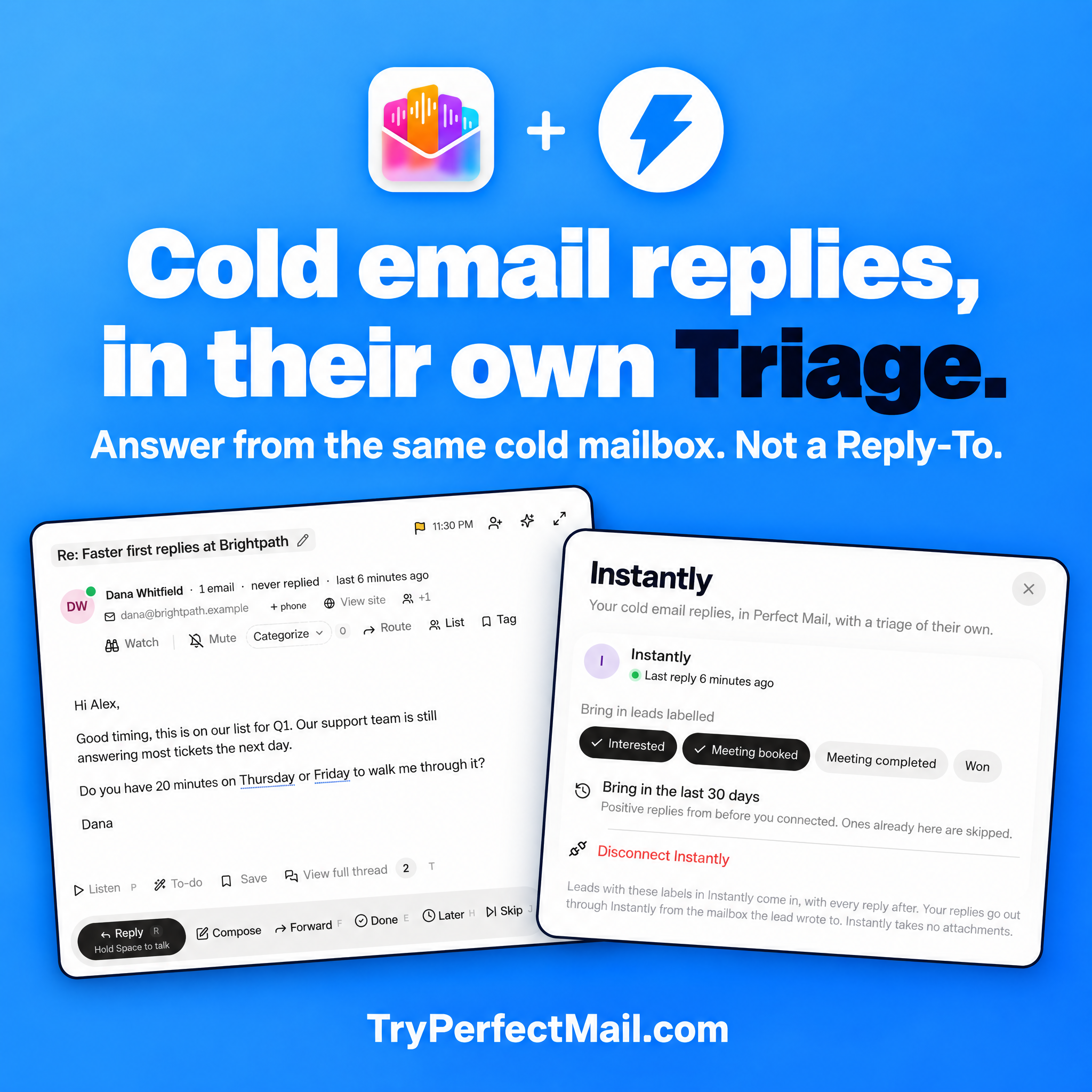
When Instantly labels a lead Interested, Meeting booked, Meeting completed or Won, the lead's whole conversation, your emails and theirs, arrives in Perfect Mail. You choose which labels count. Replies Instantly hasn't labelled positive stay in Instantly.
When you connect, positive replies from the past 30 days come in too.
Your leads get their own Triage
They land in an Instantly Triage, made for you when you connect. Work it on its own, one lead at a time, or alongside all your other email. Triage is Perfect Mail's way of clearing email: one conversation at a time, answered, filed or snoozed in a keystroke.
Replies from the right address
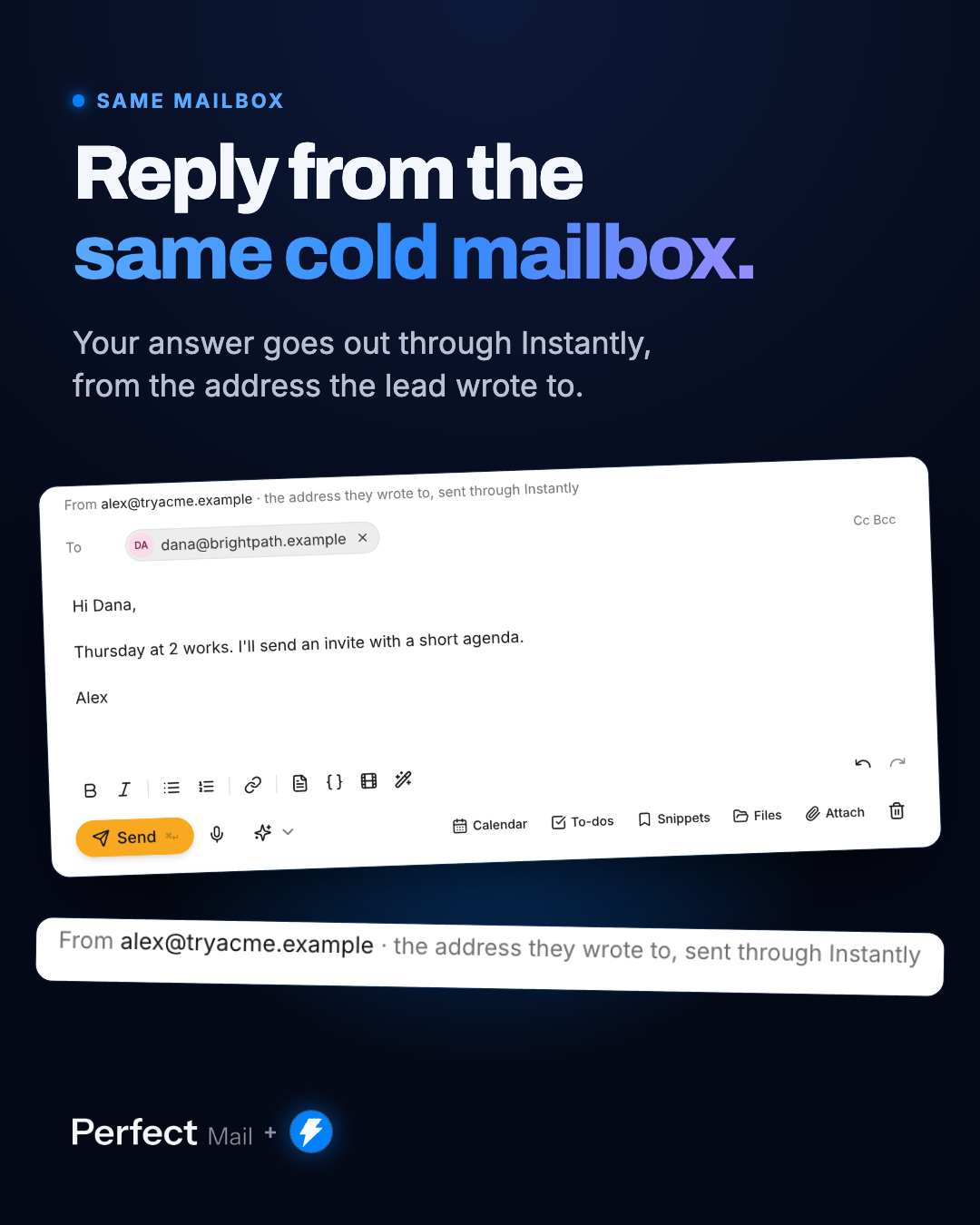
Your answer goes out through Instantly's API from the same mailbox the campaign used, so the lead never hears back from someone new, and the thread and lead status stay intact in Instantly. No Reply-To setup on every sending account.
Follow-ups built in
Set a follow-up on any reply, the same as any other email in Perfect Mail. Later replies from the lead join the conversation and bring it back to the top.
How to connect Instantly to Perfect Mail
It takes three steps.
- Get an API key. In Instantly, open Settings, then Integrations, then API Keys, and create an API v2 key with the emails, webhooks and leads scopes, or all scopes.
- Open Perfect Mail. Go to Settings, then Integrations, then Instantly. The "Get your API key" row opens the same Instantly page.
- Paste and connect. Paste the key, pick the labels you want, and press Connect. Your Instantly Triage is ready.
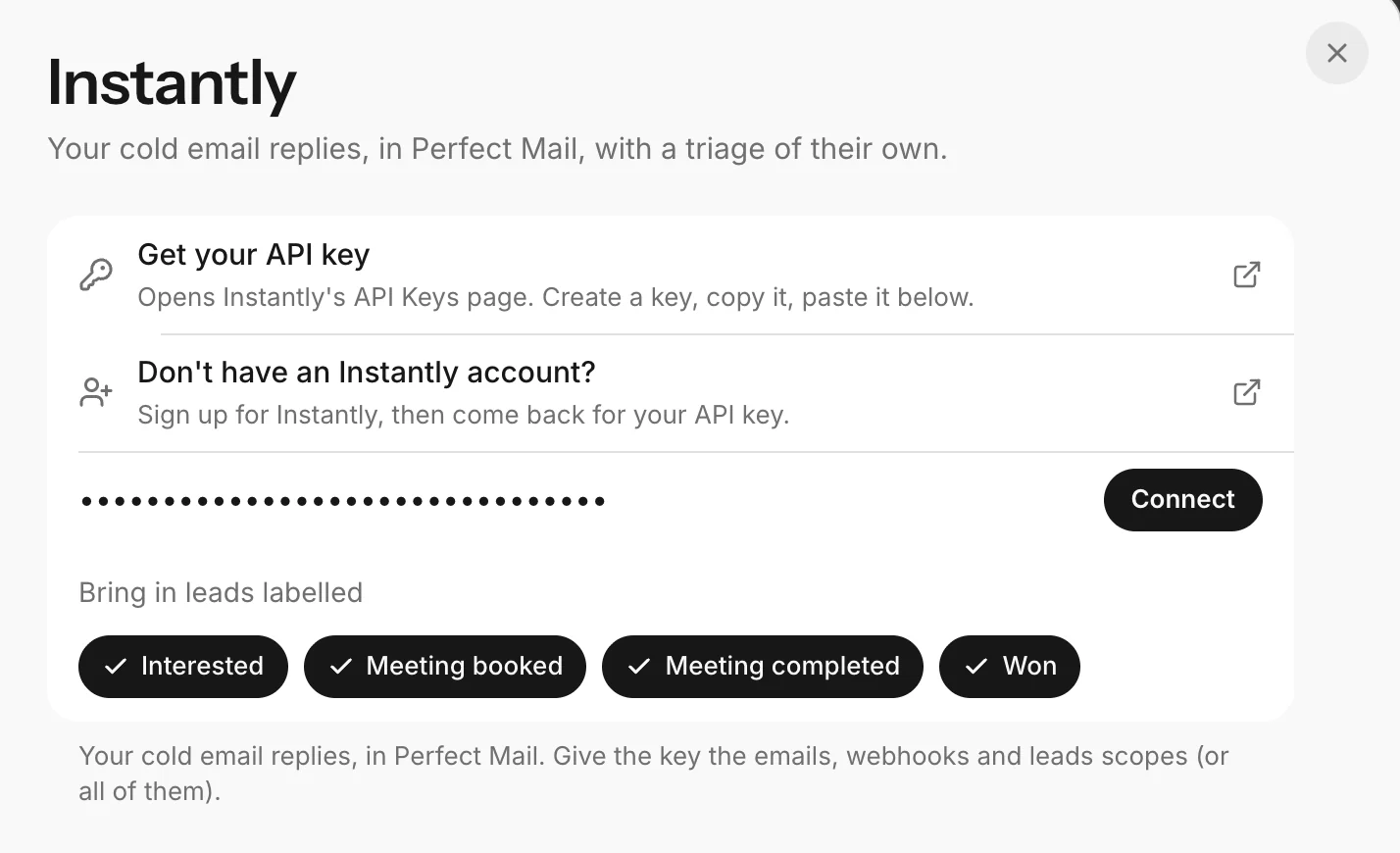
Don't have an Instantly account? Sign up for Instantly.
Your key and your data
- Your API key is kept on our servers only, is never shown again in the app, and is used only for the calls listed on the Instantly integration page.
- Perfect Mail stores the conversations it brings in, so you can read, search and answer them, the same way it stores your other mail. See the privacy policy.
- Disconnect in Settings, then Integrations, then Instantly. The webhooks are removed from your Instantly workspace, and the Instantly inbox, its Triage and its conversations are removed from Perfect Mail. Nothing changes in Instantly itself.
Limits
- Replies sent through Instantly can't carry attachments, because Instantly's reply endpoint doesn't take them. Share a link instead.
- The Instantly inbox answers its own conversations and doesn't start new emails. Forwarding one goes out from your own email account.
Frequently asked questions
What is Instantly ai used for?
Instantly ai is a cold email platform. You connect sending mailboxes, build campaigns, and Instantly sends, warms and rotates them, then collects replies in its Unibox.
Can I reply to Instantly leads from Gmail or Outlook?
Yes, with Perfect Mail. Positive replies show up next to your Gmail or Outlook email, and your answer goes out through Instantly from the cold mailbox the lead wrote to.
Why not just set a Reply-To address?
A Reply-To sends replies to your main inbox, but then you answer from that main address instead of the cold mailbox. The lead hears back from someone new, and your answer isn't in the thread Instantly is tracking.
Does replying from Perfect Mail keep the lead status in Instantly?
Yes. Replies go through Instantly's API, in the same thread, so the thread and lead status stay intact in Instantly.
Which Instantly replies come into Perfect Mail?
Leads labelled Interested, Meeting booked, Meeting completed or Won, and you choose which of those count. Later replies from those leads join their conversation. Everything else stays in Instantly.
Can I send attachments in a reply?
No. Instantly's reply endpoint doesn't take attachments, so share a link instead.
Is Perfect Mail a replacement for Instantly?
No. Instantly still runs your campaigns and mailboxes. Perfect Mail is where you answer the leads who said yes.
Answer the yeses where you already work
Your cold email replies, answered from your inbox, from the right address. Connect Instantly to Perfect Mail. Using Quo for texts and calls? Get them next to your email too. New to Perfect Mail? Download it for Mac and iPhone.